
Lendlord MTD Hub Compliance Guide: Submit Your HMRC Quarterly Update

Published · Updated · 6 min read
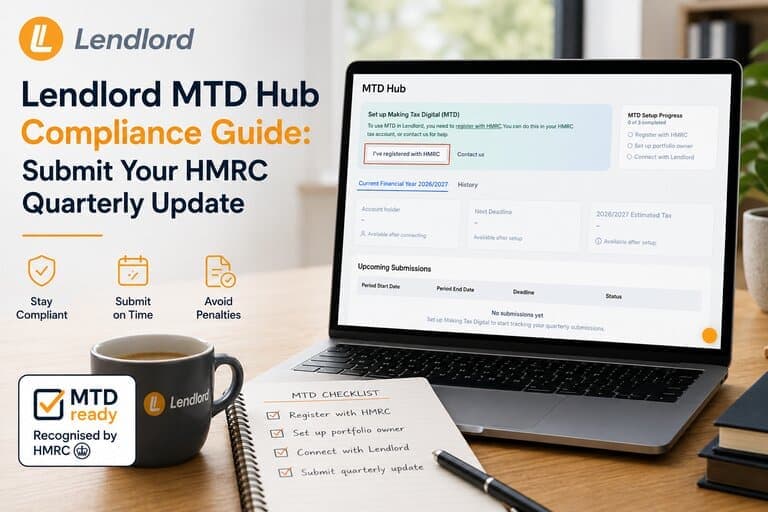
Lendlord MTD Hub Compliance Guide: Submit Your HMRC Quarterly Update

To submit a Making Tax Digital quarterly update in Lendlord, open Manage then Accounting then MTD Hub, confirm HMRC registration, verify the portfolio owner NINO, connect securely to HMRC, select the quarter, categorise mortgage interest, review income and expenses, and click Submit. You can quit and fix data before finalising.

If you searched for a Lendlord MTD Hub walkthrough or how to submit an HMRC quarterly update, this guide follows the full compliance deck slide by slide. You will prepare inside Lendlord, connect securely to HMRC, and submit with confidence. Lendlord is MTD-ready software for UK landlords and is approved by HMRC.

At a glance

  • Path: Manage → Accounting → MTD Hub.
  • Prep: HMRC registration + correct NINO.
  • Connect: Secure handshake to HMRC online services.
  • File: Choose quarter, categorise mortgage interest, review, submit.
  • Control: Quit, fix in Accounting, then return to submit.

MTD Hub

Open your tax-ready workspace
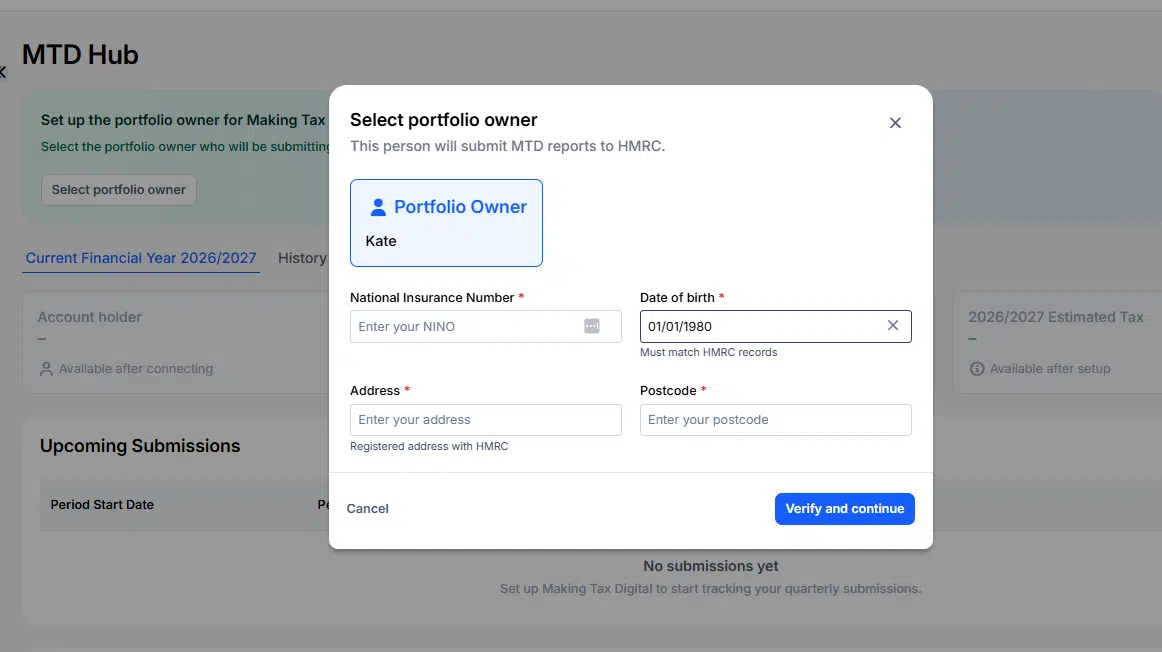
Mtd Hub By Lendlord
MTD Hub in Lendlord: select portfolio owner and verify details.

Use Lendlord’s MTD Hub to prepare portfolio numbers, connect to HMRC, and submit quarterly updates. MTD Hub access is included in eligible Lendlord plans.

Explore MTD Hub
MTD Hub in Lendlord: select portfolio owner and verify details.

What this guide covers

This article follows Lendlord’s MTD Compliance Guide slide by slide. You will prepare inside Lendlord, connect securely to HMRC, choose the quarter, categorise mortgage interest, review totals, and submit.
Slide 1 Making Tax Digital Submitting Your Quarterly Update With Lendlord
Slide 1: Making Tax Digital, submitting your quarterly update with Lendlord.

Watch: MTD Hub quarterly submit walkthrough

Full on-screen walkthrough of connecting Lendlord to HMRC and submitting the quarterly update.

Two environments: Lendlord preparation and HMRC compliance

The journey spans two environments. In Lendlord you prepare: verify your National Insurance number, categorise mortgage interest, and review numbers. Through the MTD Hub connection you move into HMRC compliance: provide official credentials, securely link accounts, and complete the quarterly update.
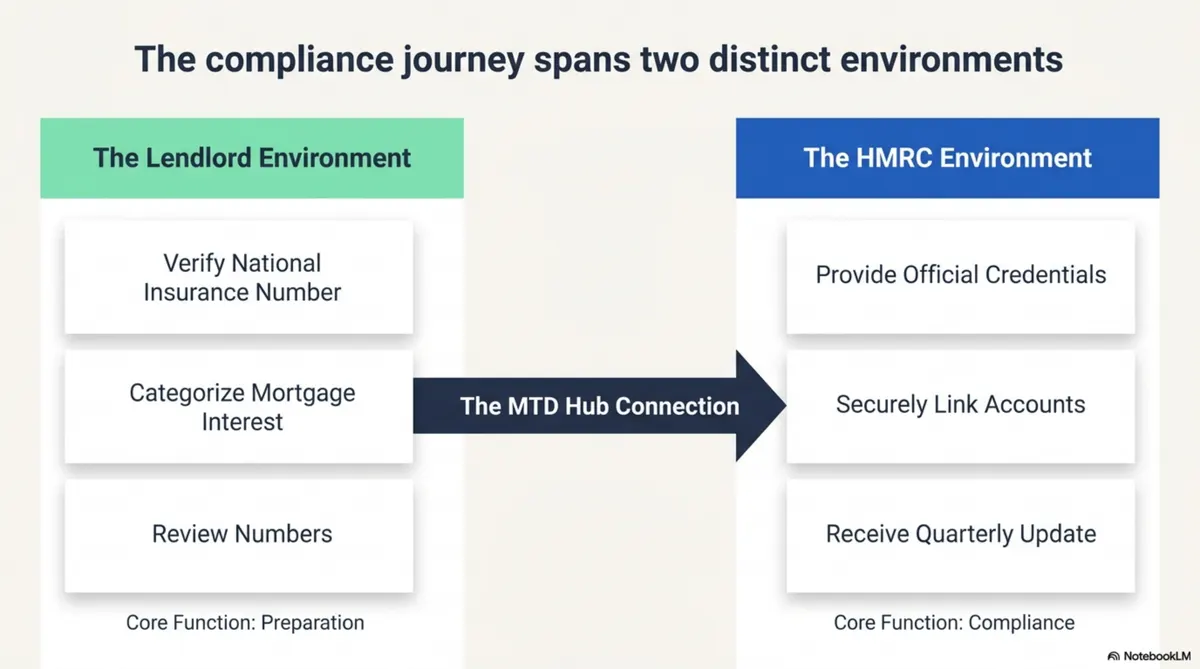
Slide 2 Preparation In Lendlord Then Compliance In The HMRC Environment Via The MTD Hub
Slide 2: Preparation in Lendlord, then compliance in the HMRC environment via the MTD Hub.

Step 1: Locate the MTD Hub

Log into Lendlord. Open the Manage tab, scroll to Accounting, and click MTD Hub. That is your starting point for every quarterly update.
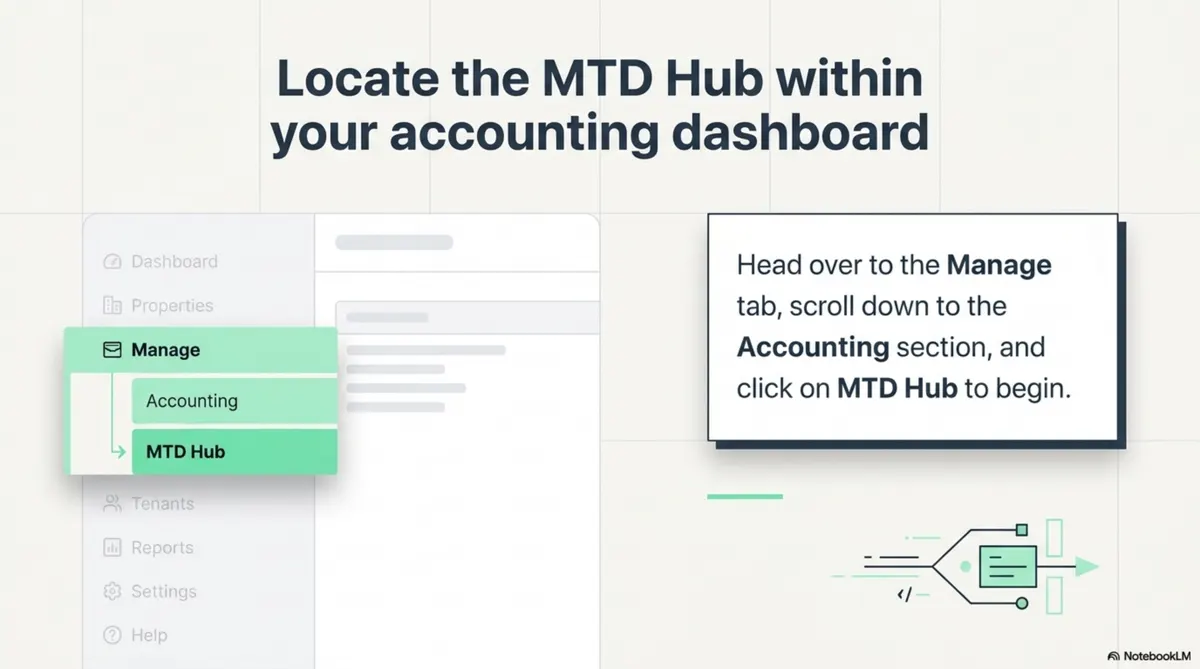
Slide 3 Path To MTD Hub Under Manage And Accounting
Slide 3: Path to MTD Hub under Manage and Accounting.

Prefer a live walkthrough of the full flow? Pair this guide with the short video above and the free webinar.

Get MTD-ready

Run preparation and filing in one platform
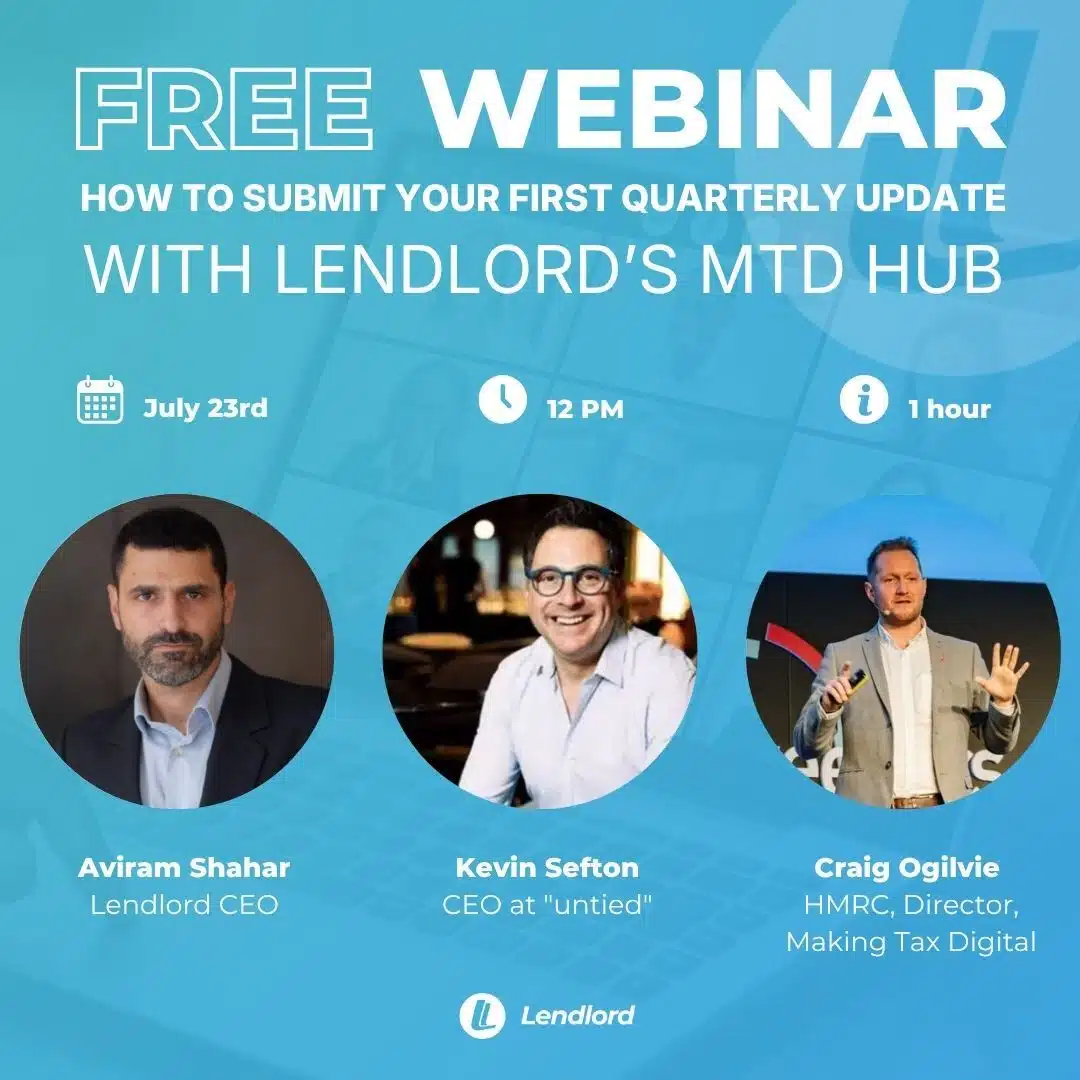
Upt How To Submit Your First Quarterly Update With Lendlords MTD Hub
Free webinar: submit your first quarterly update with Lendlord’s MTD Hub. Craig Ogilvie, HMRC Director, will be attending, together with Kevin Sefton, CEO at Untied.

Keep digital records, connect to HMRC, and submit quarterly updates from the MTD Hub.

Register for the MTD webinar
Free webinar: submit your first quarterly update with Lendlord’s MTD Hub. Craig Ogilvie, HMRC Director, will be attending, together with Kevin Sefton, CEO at Untied.

Step 2: Unlock the hub with two prerequisites

Before setup continues, you need two things. First, register for Making Tax Digital on the HMRC website. Second, have your tax details ready, especially your NINO. When both are done, click I’ve registered with HMRC in Lendlord to continue.
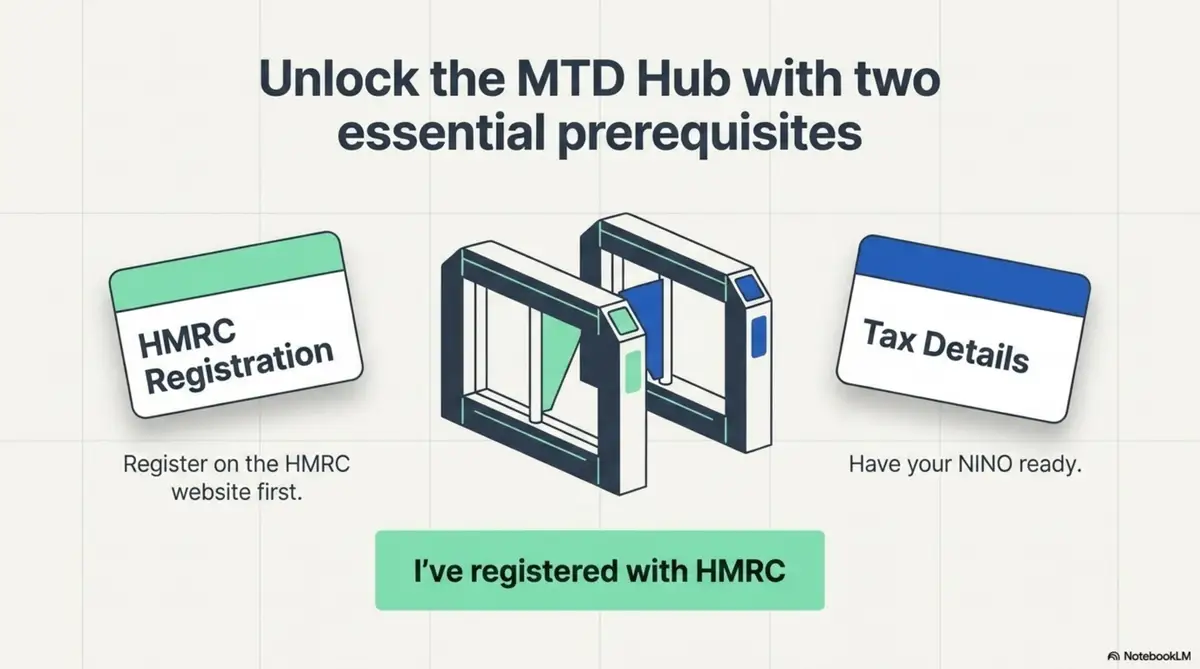
Slide 4 HMRC Registration Plus NINO Ready Before You Unlock The MTD Hub
Slide 4: HMRC registration plus NINO ready before you unlock the MTD Hub.

Step 3: Select the portfolio owner for this update

Ask who the update is for. If you are the portfolio owner, select yourself and continue. If the update belongs to a team member, remember the rule: one team member per Lendlord account. Invite them to their own separate account so each person submits from their own login.
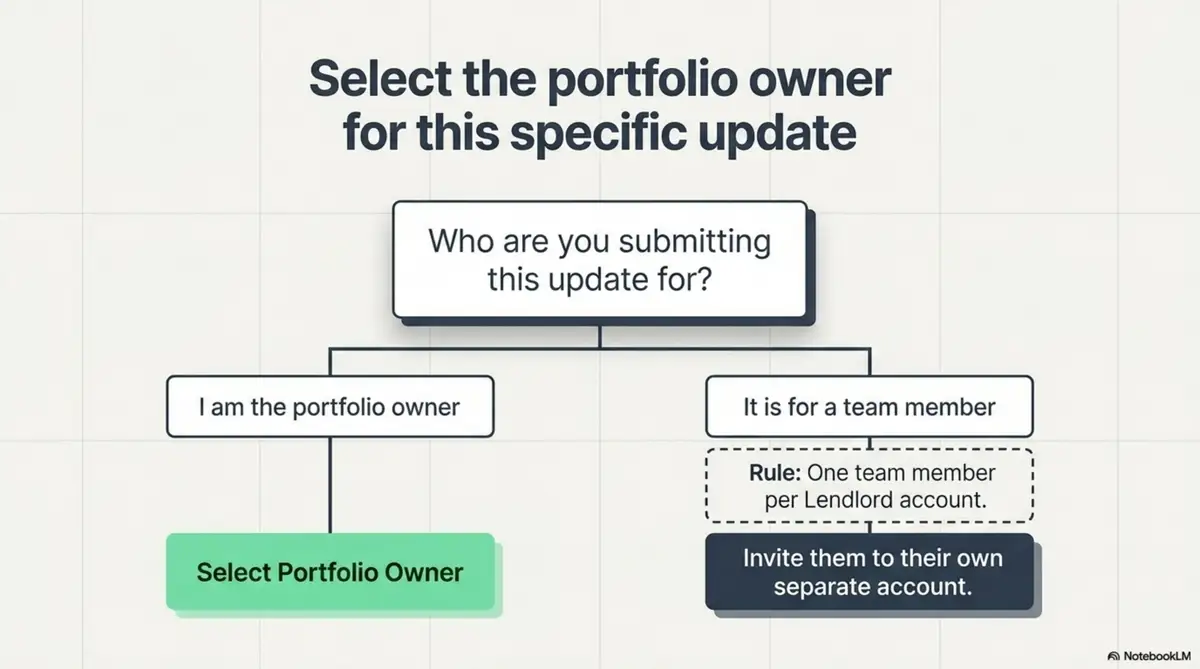
Slide 5 Choose The Portfolio Owner Or Invite Team Members To Their Own Accounts
Slide 5: Choose the portfolio owner, or invite team members to their own accounts.

Step 4: Verify official tax details

Check the portfolio owner details carefully. Confirm the National Insurance number is correct before you connect anything. When it looks right, click Verify and Continue.
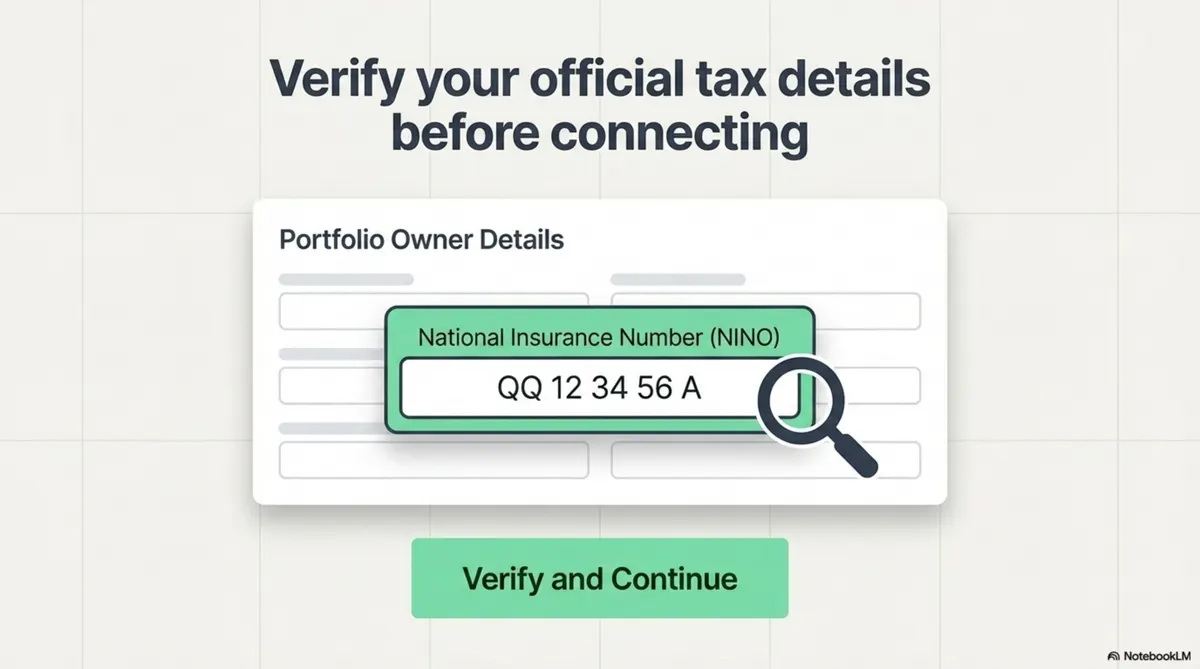
Slide 6 Verify NINO On Portfolio Owner Details Before Connecting To HMRC
Slide 6: Verify NINO on portfolio owner details before connecting to HMRC.

Step 5: Start the secure handshake with HMRC

Click Connect Lendlord with HMRC. Lendlord transfers you to the HMRC website with encrypted protection. This is the bridge between your portfolio data and the official compliance environment.
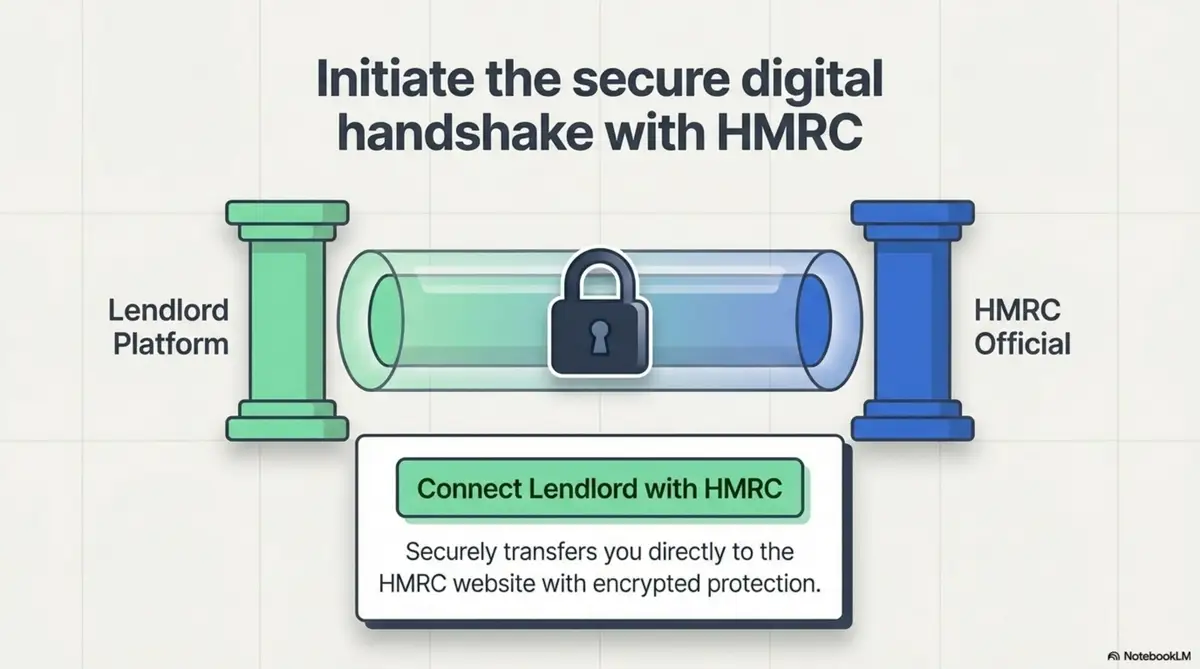
Slide 7 Secure Digital Handshake Between Lendlord And HMRC
Slide 7: Secure digital handshake between Lendlord and HMRC.

Step 6: Authenticate on the official HMRC portal

Sign in to the HMRC online service with your official credentials. That authorises the connection and prepares your account for submission. Prefer a live walkthrough? Join the MTD Hub webinar for a demo of this link.
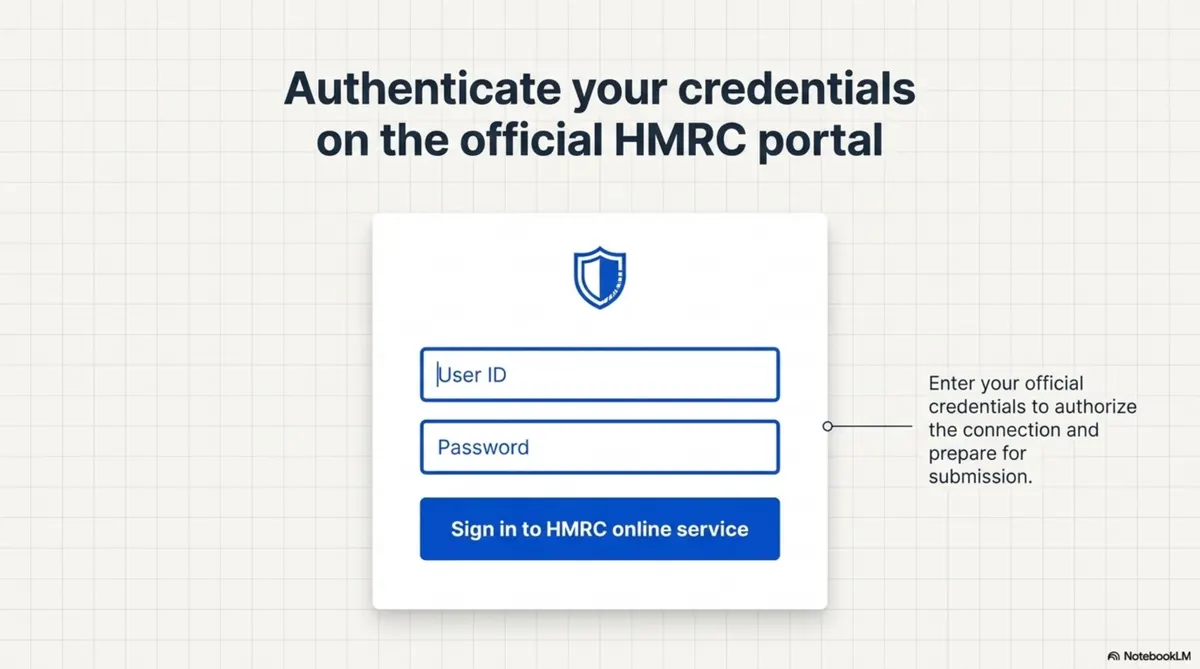
Slide 8 Authenticate With Official HMRC Credentials
Slide 8: Authenticate with official HMRC credentials.

Step 7: Select the quarterly period

Back in the flow, choose the quarter you are filing for, such as Q1 (Apr to Jun) or Q2 (Jul to Sep), then click Submit Now. For Phase 1 landlords, the first 2026/27 deadline is still 7 August 2026 for the period from 6 April to 5 July. See also what to submit by 7 August 2026.
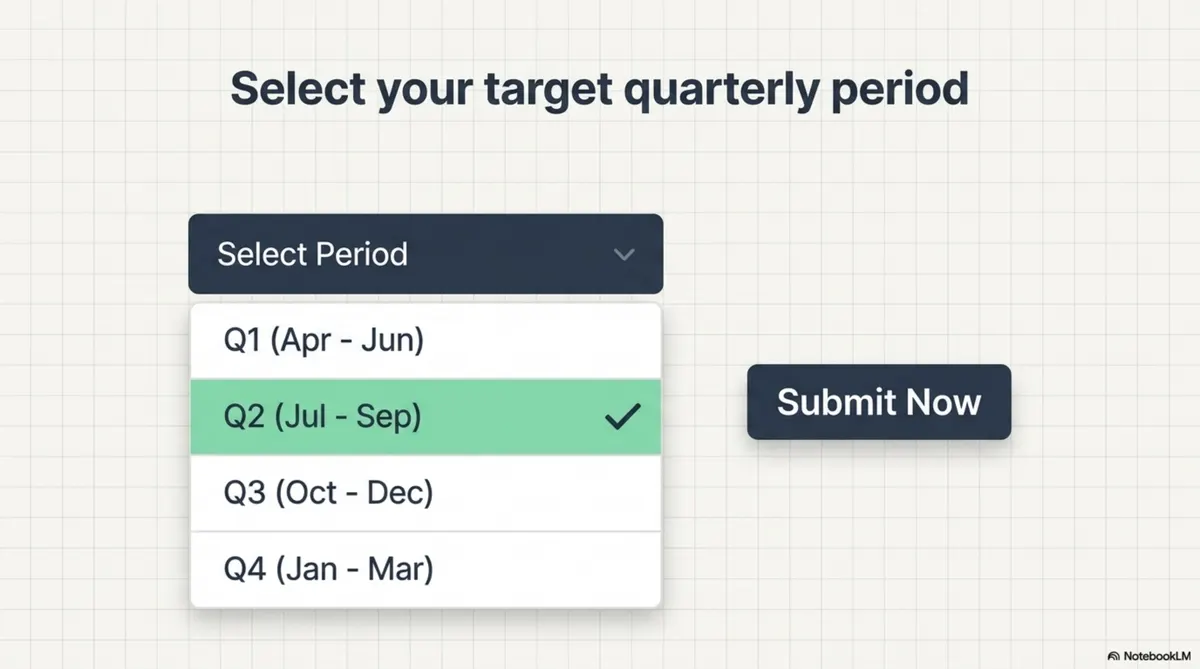
Slide 9 Select The Quarterly Period Then Submit Now
Slide 9: Select the quarterly period, then submit now.

Step 8: Isolate and categorise mortgage interest

Select the expense categories that contain your mortgage interest for that period. Clear categorisation keeps the quarterly update accurate and easier to defend if HMRC asks questions later.
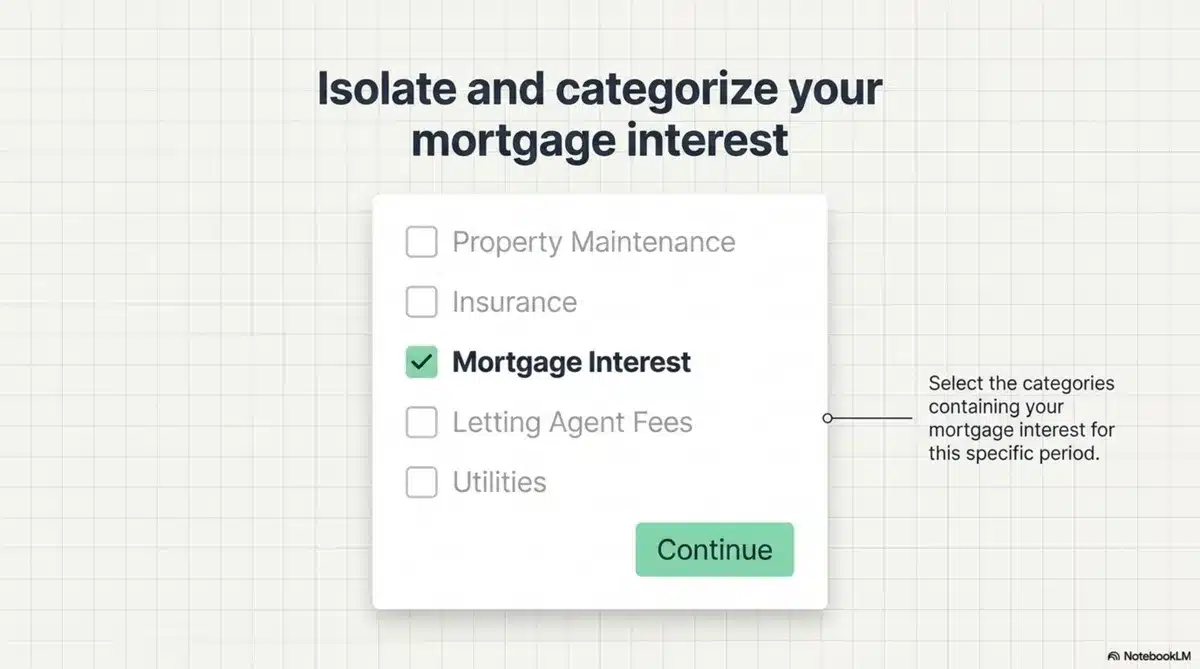
Slide 10 Select Categories Containing Mortgage Interest For The Period
Slide 10: Select categories containing mortgage interest for the period.

Step 9: Review income, expenses, and net profit

Take a moment to review the summarised numbers before you finalise. Check income, expenses, and net profit against your own records. If everything looks correct, you are ready to submit.
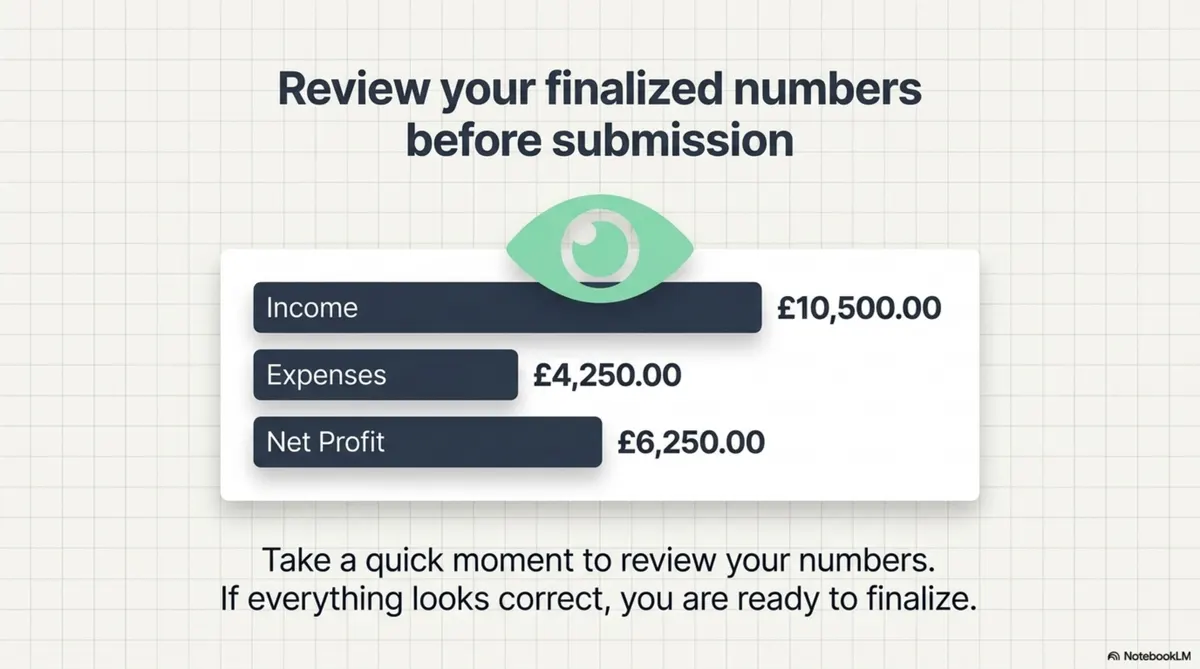
Slide 11 Review Finalised Numbers Before Submission
Slide 11: Review finalised numbers before submission.

Spotted a mistake? Stay in control

If something looks wrong, you are not trapped. Spot the mistake during review, hit Quit to exit setup safely, fix the data in Lendlord Accounting, then return and submit via the MTD Hub. The guide is clear: there are no penalties for exiting early to correct your books.
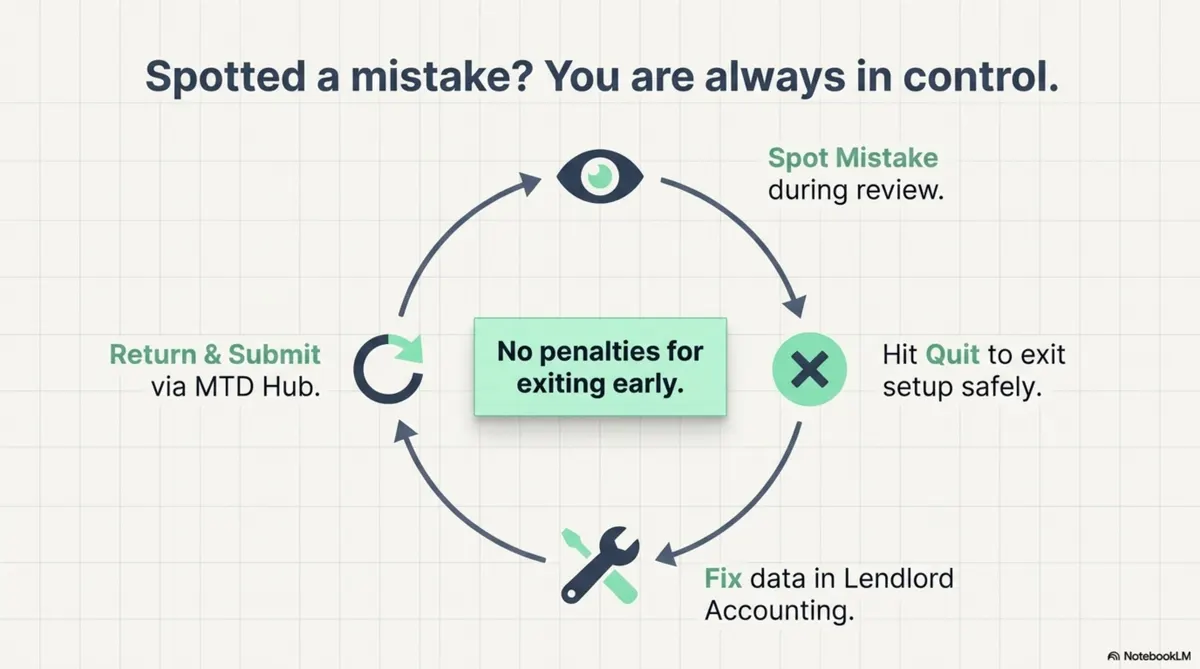
Slide 12 Spot Quit Fix In Accounting Then Return And Submit
Slide 12: Spot, quit, fix in Accounting, then return and submit.

Step 10: Finalise and achieve compliance

When the numbers are right, click Submit. You have successfully submitted your quarterly update.
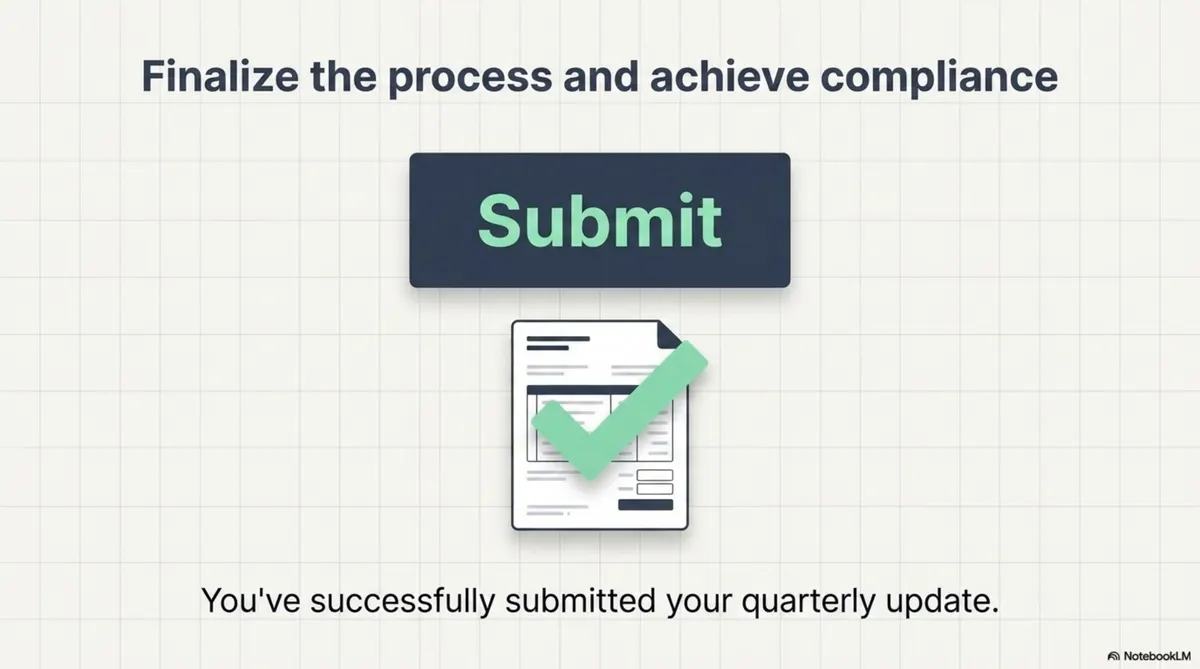
Slide 13 Finalise The Process And Achieve Compliance
Slide 13: Finalise the process and achieve compliance.

Need help? Real human support

If you get stuck, reach out via the in-app chat for human guidance. Software should make the path clear, and support should be there when a step feels unfamiliar.

Slide 14 Real Human Support Through In App Chat
Slide 14: Real human support through in-app chat.

The MTD Hub as your compliance engine

Daily management (properties and records) feeds the Lendlord MTD Hub, which bridges into HMRC compliance.
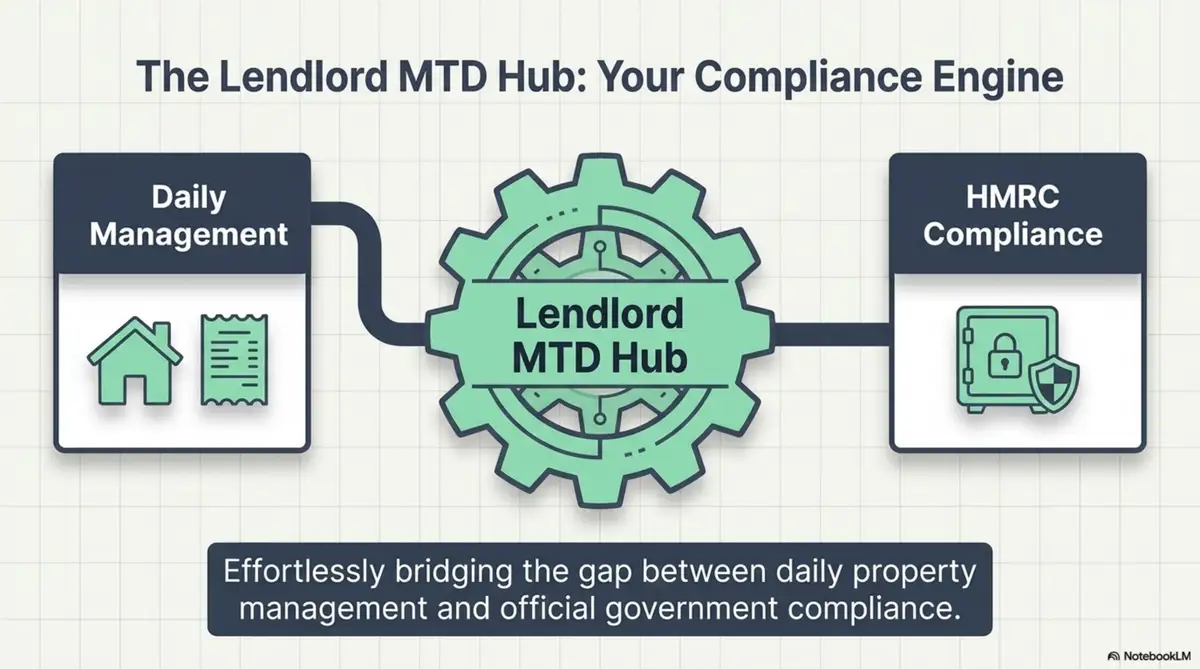
Slide 15 The Lendlord MTD Hub As Your Compliance Engine
Slide 15: The Lendlord MTD Hub as your compliance engine.

Lendlord is MTD-ready software for UK landlords and is approved by HMRC. Keep invoices and ownership proofs beside the numbers you file each quarter.

Prepare first

Keep evidence beside your quarterly numbers
Document Management Blog Body 900x600 1

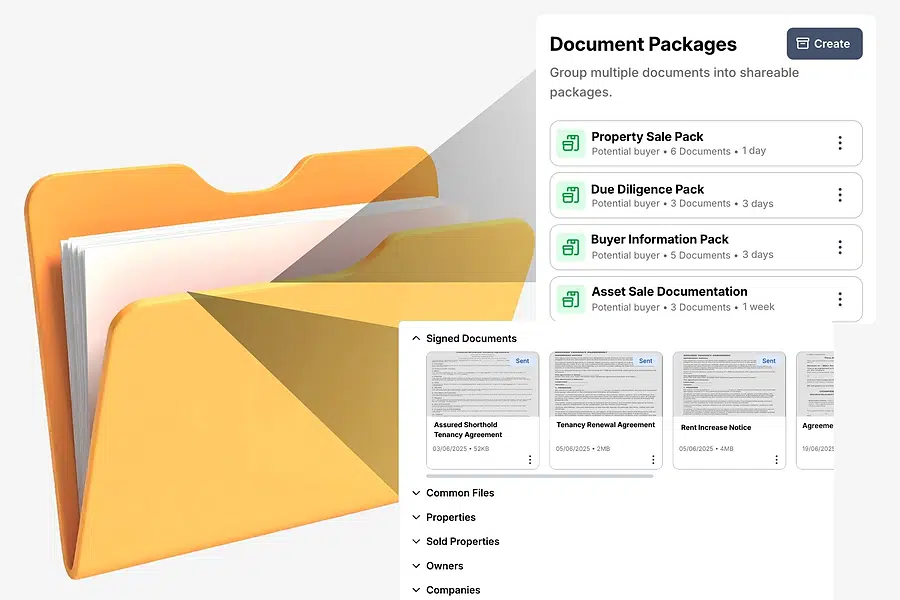
Store invoices and ownership proofs before you open the MTD Hub, so review is faster.

Open document management
Document hub for MTD-ready landlord records.

Frequently asked questions

Where do I find the MTD Hub in Lendlord?

Go to Manage, scroll to Accounting, and open MTD Hub. That is where you prepare and submit quarterly updates.

What do I need before connecting to HMRC?

Register for Making Tax Digital with HMRC first, and have your National Insurance number ready to verify the portfolio owner.

Can I submit for another team member from my account?

One team member submits per Lendlord account. Invite other owners to their own accounts so each person files from their own login.

What if I spot a mistake during review?

Quit setup safely, fix the data in Lendlord Accounting, then return to the MTD Hub and submit. You stay in control before finalising.

Work through the MTD Hub once with clean records, then repeat the same path every quarter.

Get MTD-ready on Lendlord

Aviram Photo

Expert insight from Aviram Shahar, Co-Founder and CEO of Lendlord · PropTech entrepreneur · Last updated July 2026

Official data sources

Confirm live MTD rules and software requirements before you submit.

About Lendlord

Lendlord is a UK PropTech platform that helps property investors source, analyse, fund, and manage property deals in one place. As a direct bridging lender, it provides bridging loans from £30k to £3M at rates from 0.75% pm, with completions from 5 days and no broker fees.

The platform serves investors across the UK, US, and Canada, with tools including AI sourcing, BTL/BRRR/flip analysers, tenancy agreement generation, portfolio management, and Making Tax Digital compliance.

Lendlord is MTD-ready software for UK landlords and is approved by HMRC.

  • Commercial Property Awards 2026 Finalist
  • Property Reporter Awards 2022 Winner
  • Property Week Tech Innovation Awards 2026 Finalist

This page is informational and does not constitute financial, tax, or legal advice. Rates, rules, and thresholds change, so confirm figures with a qualified professional and official sources before you act. Your property may be repossessed if you do not keep up repayments. Rates and terms are indicative and subject to individual assessment.

As Featured In The Press

Coverage of Lendlord's Renters' Rights Act compliance tool launch - April 2026

FT Adviser

8 April 2026

"Property management and finance platform Lendlord has launched a compliance solution designed to help landlords prove they have correctly served the Renters' Rights Act 2026 information sheet, ahead of a 31 May deadline."

Read on FT Adviser

Moneyage

2 April 2026

"Lendlord has launched a new compliance solution designed to help landlords evidence service of the Renters' Rights Act 2026 information sheet ahead of the 31st May deadline."

Read on Moneyage

Modern Lender

2 April 2026

"The property management and lending platform says its new solution will support landlords in meeting their obligations under the Renters' Rights Act."

Read on Modern Lender

Mortgage Solutions

2 April 2026

"Lendlord explained that the information sheet, which was published by the government on March 20, must be provided to tenants in existing tenancies created before May 1 2026."

Read on Mortgage Solutions

Show All 14 Publications

Mortgage Strategy

2 April 2026

"Under the Act, an information sheet must be provided to tenants in existing tenancies before this comes into effect on 1st May. Landlords are expected to demonstrate it has been received."

Read on Mortgage Strategy

The Intermediary

2 April 2026

"The requirement, introduced following publication of the Government's information sheet on 20th March, means landlords must provide the document to tenants in existing tenancies."

Read on The Intermediary

Cherry

2 April 2026

"Lendlord has launched a new compliance solution to help landlords evidence service of the Renters' Rights Act 2026 information sheet ahead of the 31st May deadline."

Read on Cherry

Property Reporter

2 April 2026

"Property management platform Lendlord has launched a compliance solution designed to help landlords prove they have correctly served the Renters' Rights Act 2026 information sheet."

Read on Property Reporter

Mortgage Finance Gazette

2 April 2026

"Failure to provide the information sheet can incur fines of up to £7,000 per tenancy. Lendlord's new tool helps landlords demonstrate compliance."

Read on Mortgage Finance Gazette

Mortgage Soup

2 April 2026

"Lendlord has launched a tool to help landlords evidence Renters' Rights Act compliance, ahead of the 31st May deadline for existing tenancies."

Read on Mortgage Soup

Property Soup

7 April 2026

"Lendlord targets RRA compliance gap with proof tool, helping landlords demonstrate they have served the required information sheet to tenants."

Read on Property Soup

Bridging Loan Directory

2 April 2026

"Lendlord launches compliance tool for Renters' Rights Act, providing landlords with a way to prove correct service of the government information sheet."

Read on Bridging Loan Directory

BTL Insider

2 April 2026

"Lendlord launches RRA compliance solution, designed to support landlords in meeting their obligations under the new legislation."

Read on BTL Insider

Landlord Today

7 April 2026

"New tool geared to Renters' Rights Act information sheet - helping landlords evidence they have provided the required documentation to tenants."

Read on Landlord Today

← Back to Blog

Ready to take control of your portfolio?

Join thousands of landlords using Lendlord to manage, finance and grow their property portfolios - free to get started.