MTD Deadline 7 August 2026: What UK Landlords Must File Now
Published · Updated · 5 min read
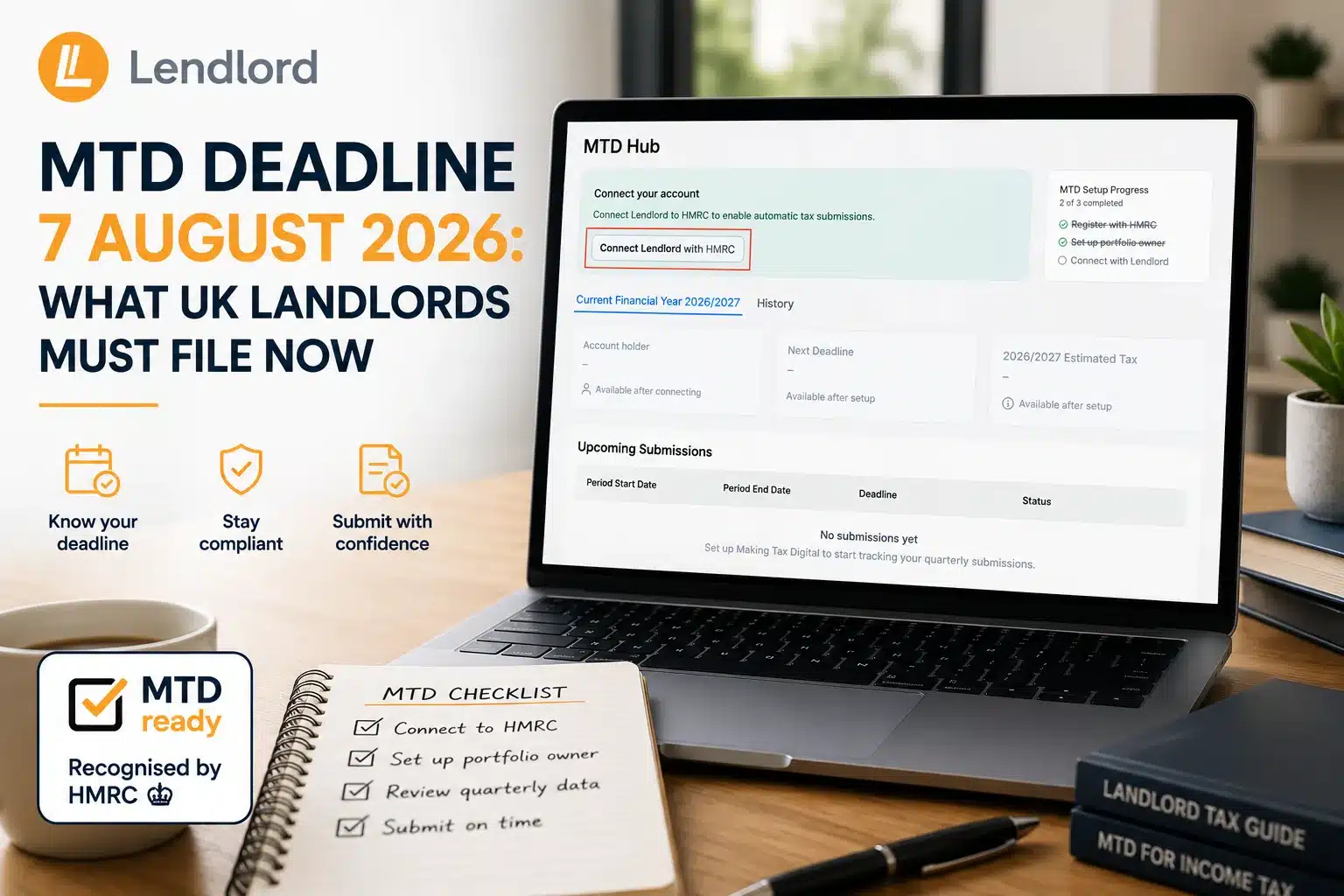
Phase 1 UK landlords must file the first Making Tax Digital quarterly update by 7 August 2026 for 6 April to 5 July. Open the Lendlord MTD Hub, confirm HMRC registration, verify the portfolio owner, connect to HMRC, choose the period, confirm mortgage interest, then review and Submit.
If you searched for the MTD deadline 7 August 2026 or what landlords must file now, this guide walks the full Lendlord MTD Hub path. You will see every key screen from registration to Submit, aligned with the official Help Center steps.
At a glance
- Deadline: 7 August 2026 for Q1 (6 April to 5 July).
- Where: Manage → Accounting → MTD Hub.
- Setup: HMRC registration, portfolio owner, NINO check, HMRC connection.
- File: Submit Now → mortgage interest category → review → Submit.
- Rule: One team member submits per Lendlord account.
MTD Hub
Open your tax-ready workspace before 7 August
Use HMRC-recognised MTD-compatible software to keep digital records and submit the first quarterly update from one place.
Explore MTD HubWhat the 7 August 2026 deadline means
Phase 1 landlords (qualifying gross income over £50,000) must send the first Making Tax Digital quarterly update by 7 August 2026. That file covers 6 April to 5 July. It is a summary from your digital records, not a full tax bill and not a stack of invoice PDFs.
Later 2026/27 deadlines are 7 November 2026, 7 February 2027, and 7 May 2027. You still complete year-end obligations by 31 January after the tax year. Soft tip: finish Q1 records first, then use the MTD Hub screens below to file.
The walkthrough matches Lendlord’s Help Center guide: How to Submit Your Quarterly Updates with Lendlord’s MTD Hub. Prefer to watch first? Use the how-to video and webinar below, then follow the screenshots step by step.
Watch: MTD Hub quarterly submit walkthrough
Get MTD-ready
See the first quarterly update submitted live
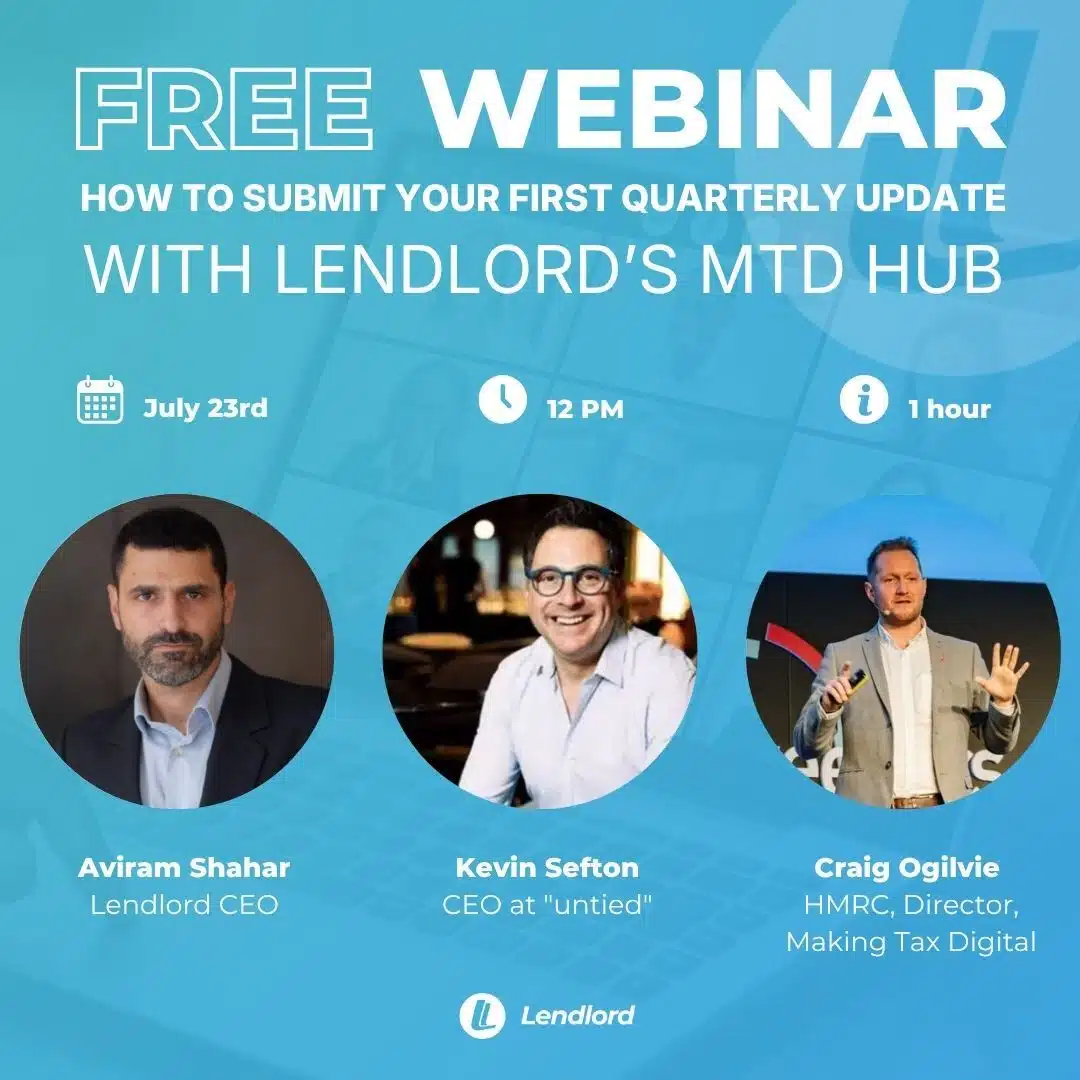
Craig Ogilvie, HMRC Director, will be attending, together with Kevin Sefton, CEO at Untied.
Register for the MTD webinarStep 1: Open the MTD Hub
In Lendlord, go to the Manage tab, scroll to Accounting, and open MTD Hub. That is your filing workspace for every quarterly update.
Step 2: Confirm HMRC registration and tax details
Before you continue, register for Making Tax Digital with HMRC and keep your tax details ready, especially your National Insurance number.
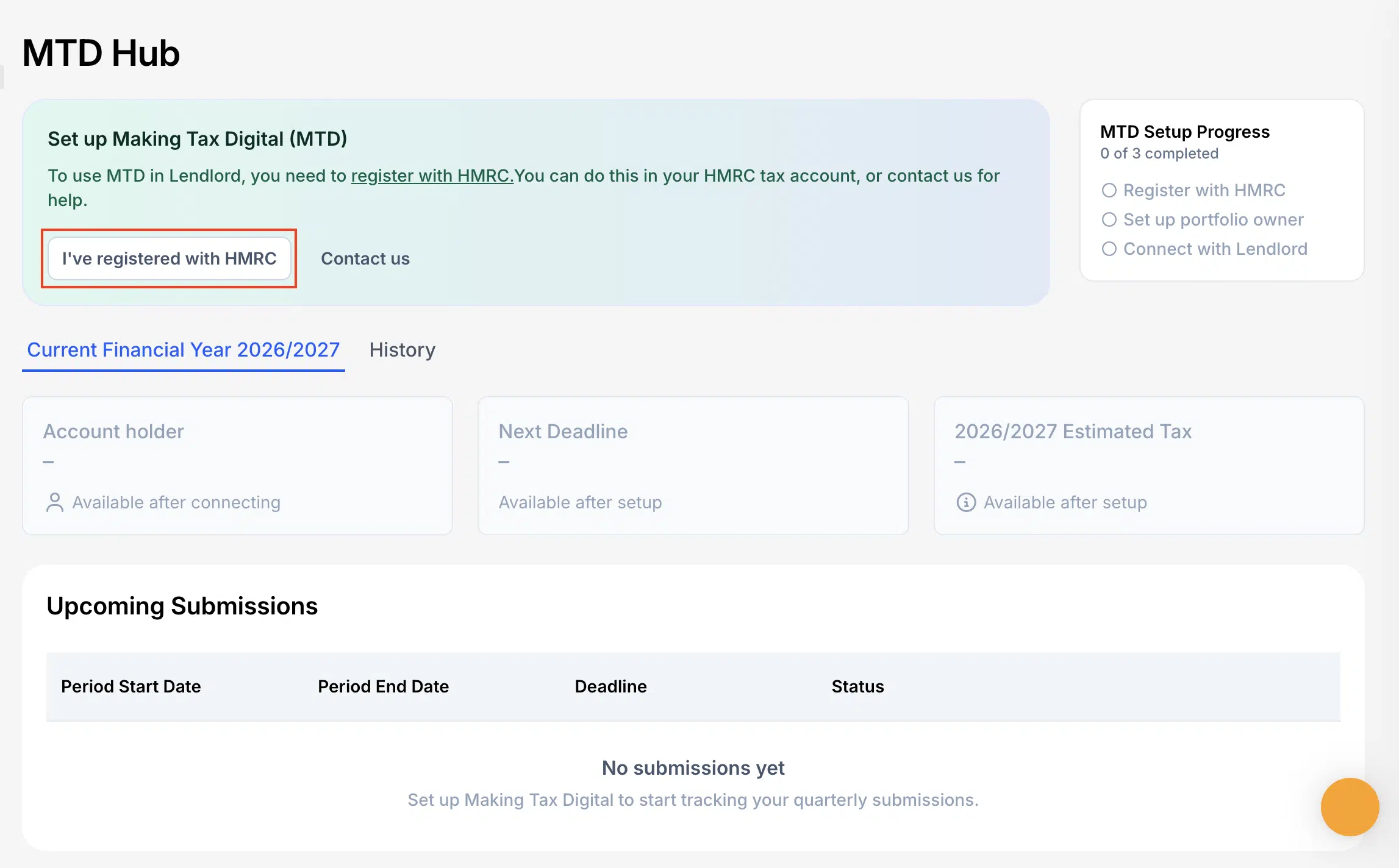
Step 3: Click I’ve registered with HMRC
In the MTD Hub setup banner, click I’ve registered with HMRC. If you have not registered yet, finish HMRC sign-up first, then return to Lendlord.
Short: first quarterly submission deadline 7 August
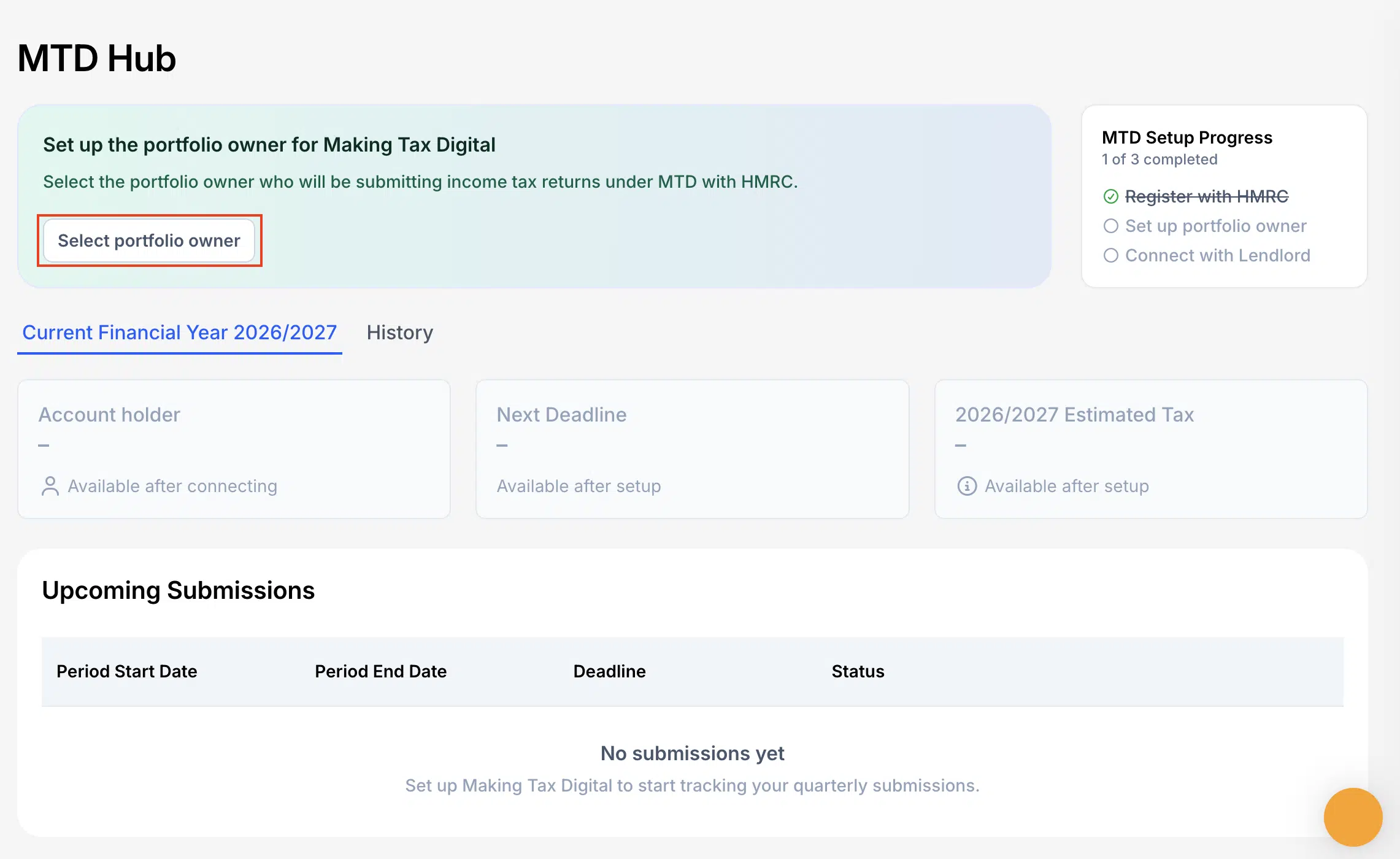
Step 4: Select the portfolio owner
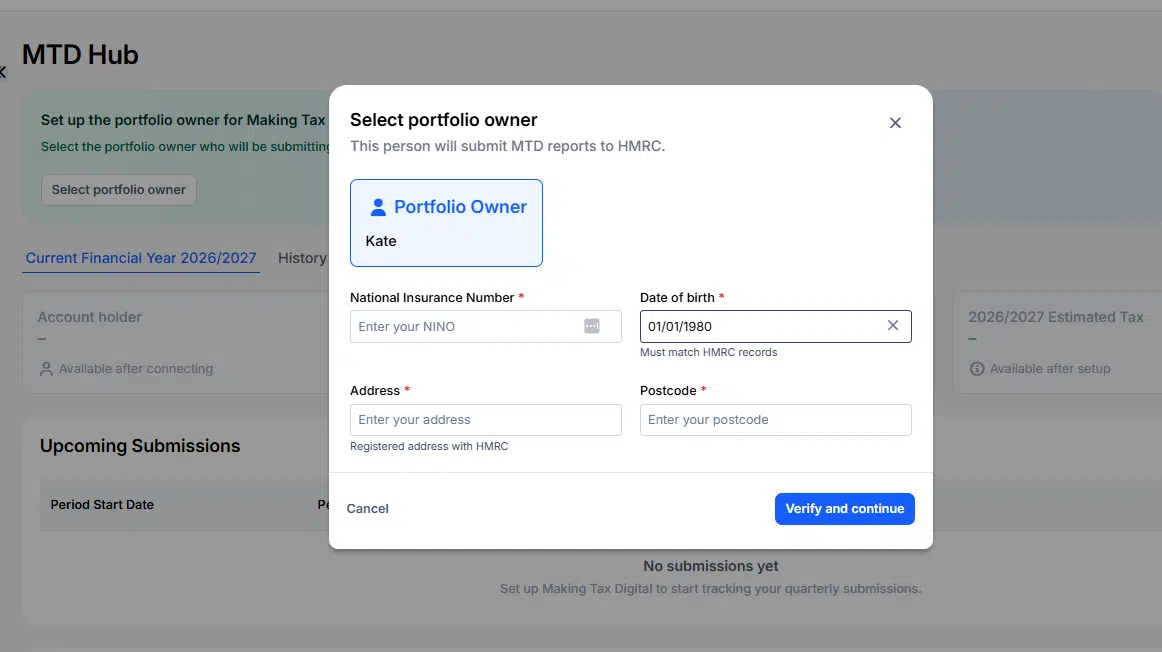
Click Select portfolio owner and choose who the update is for. You can submit for one team member per Lendlord account. Invite other owners and file from their own accounts.
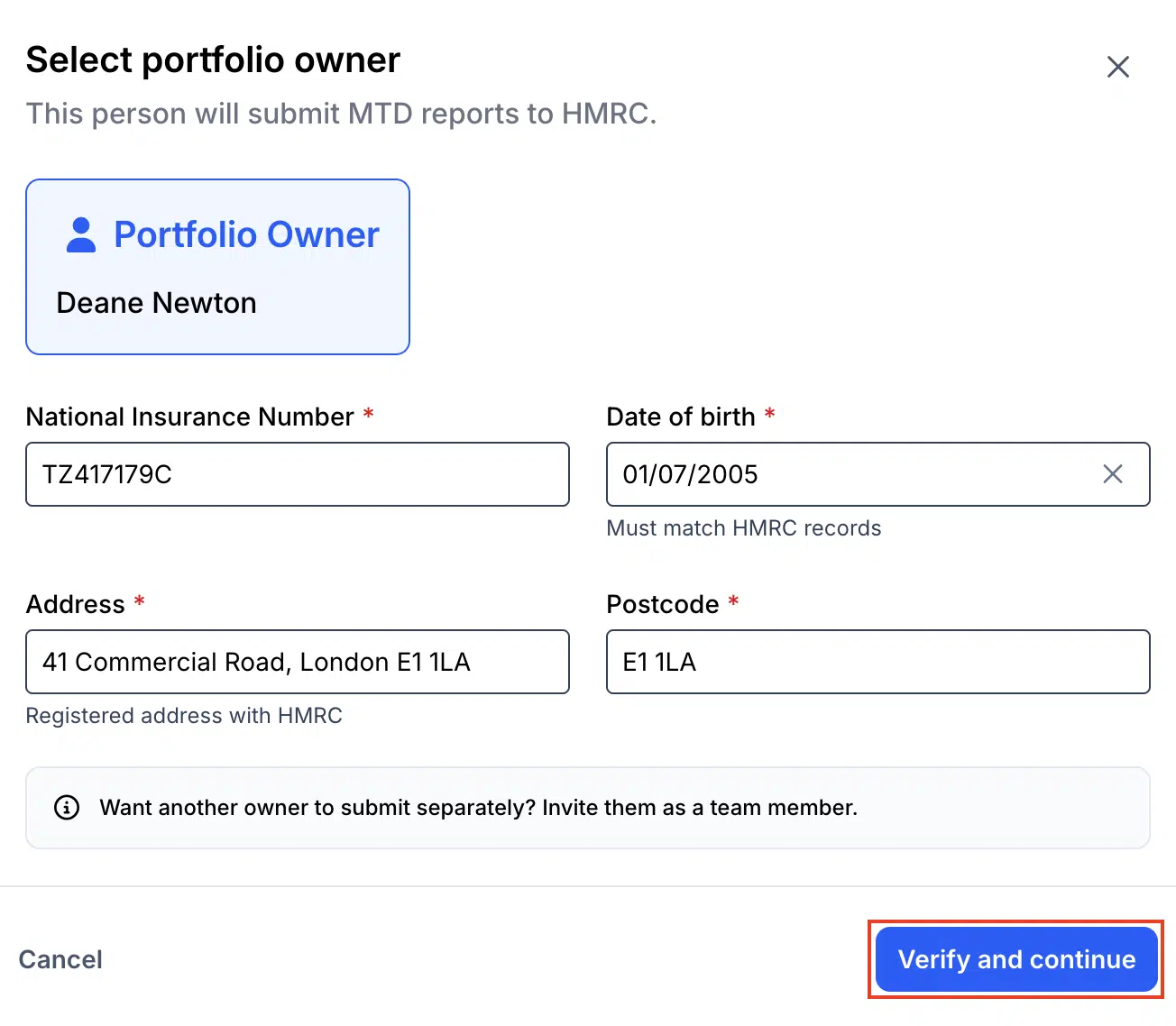
Step 5: Verify NINO and owner details
Check the portfolio owner details carefully. Confirm the National Insurance number matches HMRC records, then click Verify and continue.
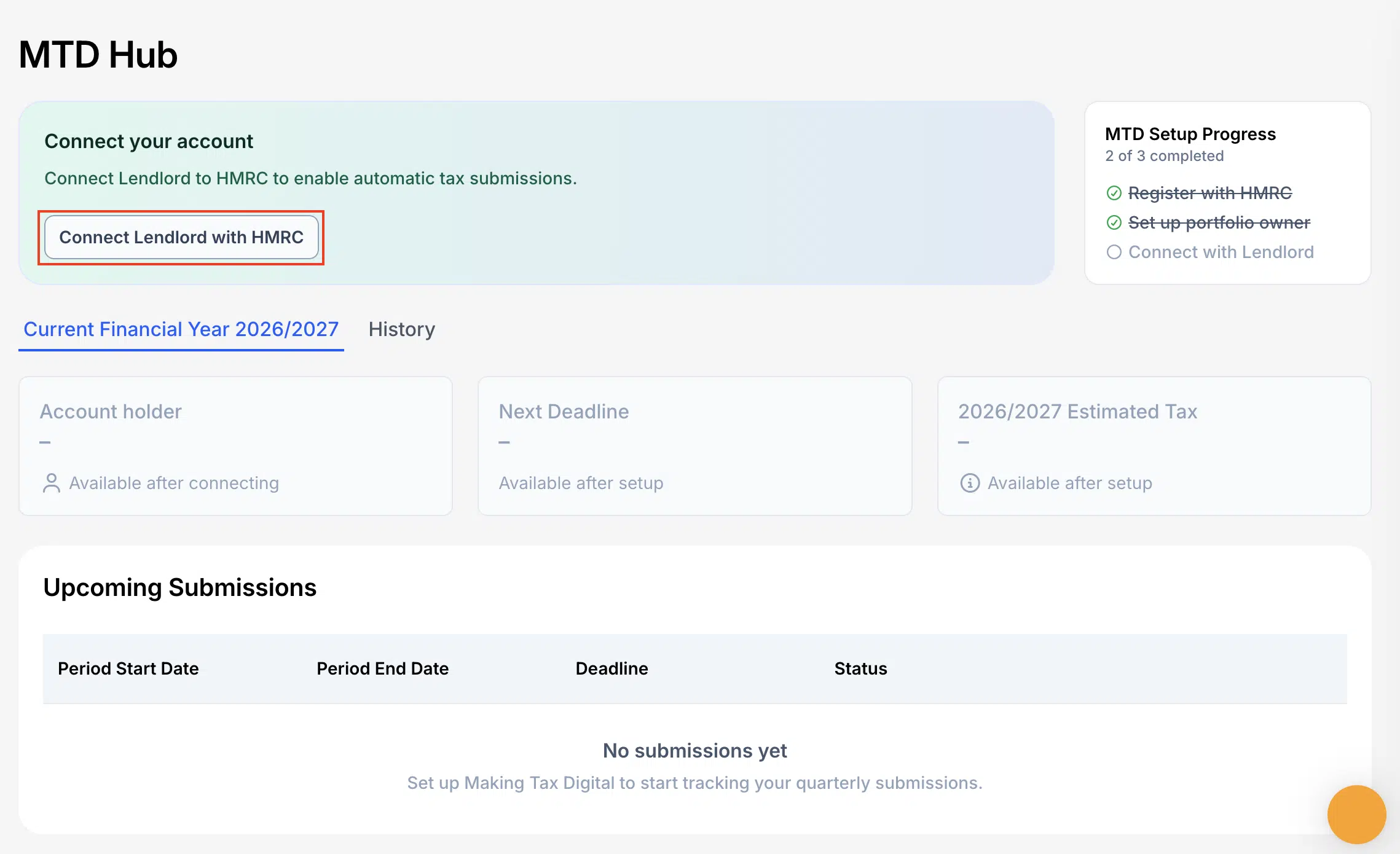
Step 6: Connect Lendlord with HMRC
Click Connect Lendlord with HMRC. Lendlord sends you to the official HMRC website to authorise the link.
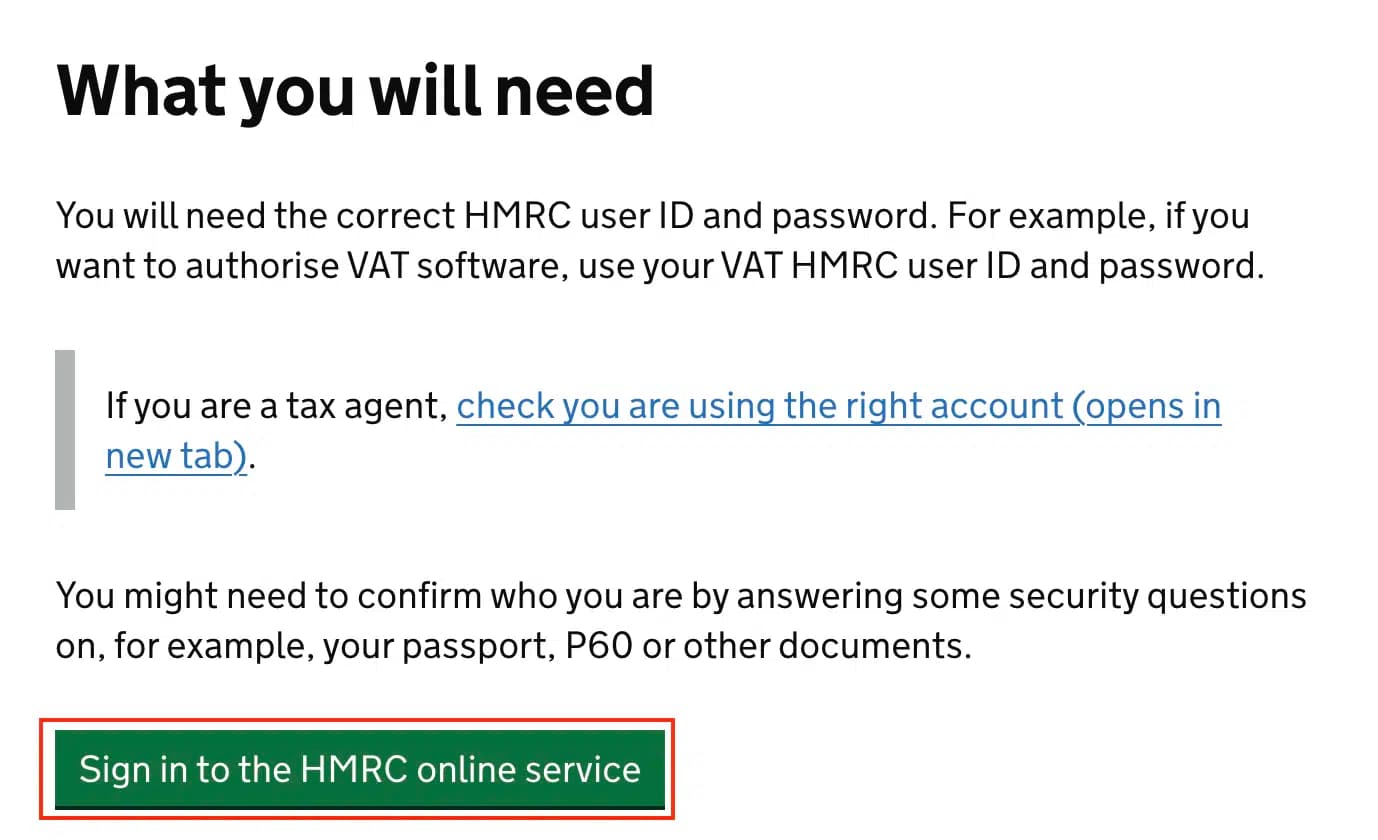
Step 7: Sign in to the HMRC online service
On the HMRC page, click Sign in to the HMRC online service. Use the correct Government Gateway credentials for that taxpayer.
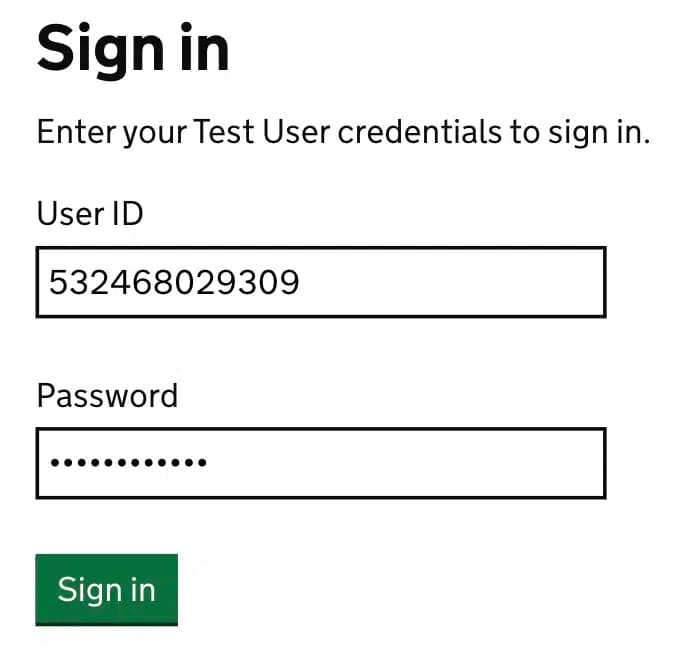
Step 8: Enter your HMRC credentials
Enter your HMRC user ID and password, then click Sign in. (Demo screens may show a test user. Always use your live credentials when filing for real.)
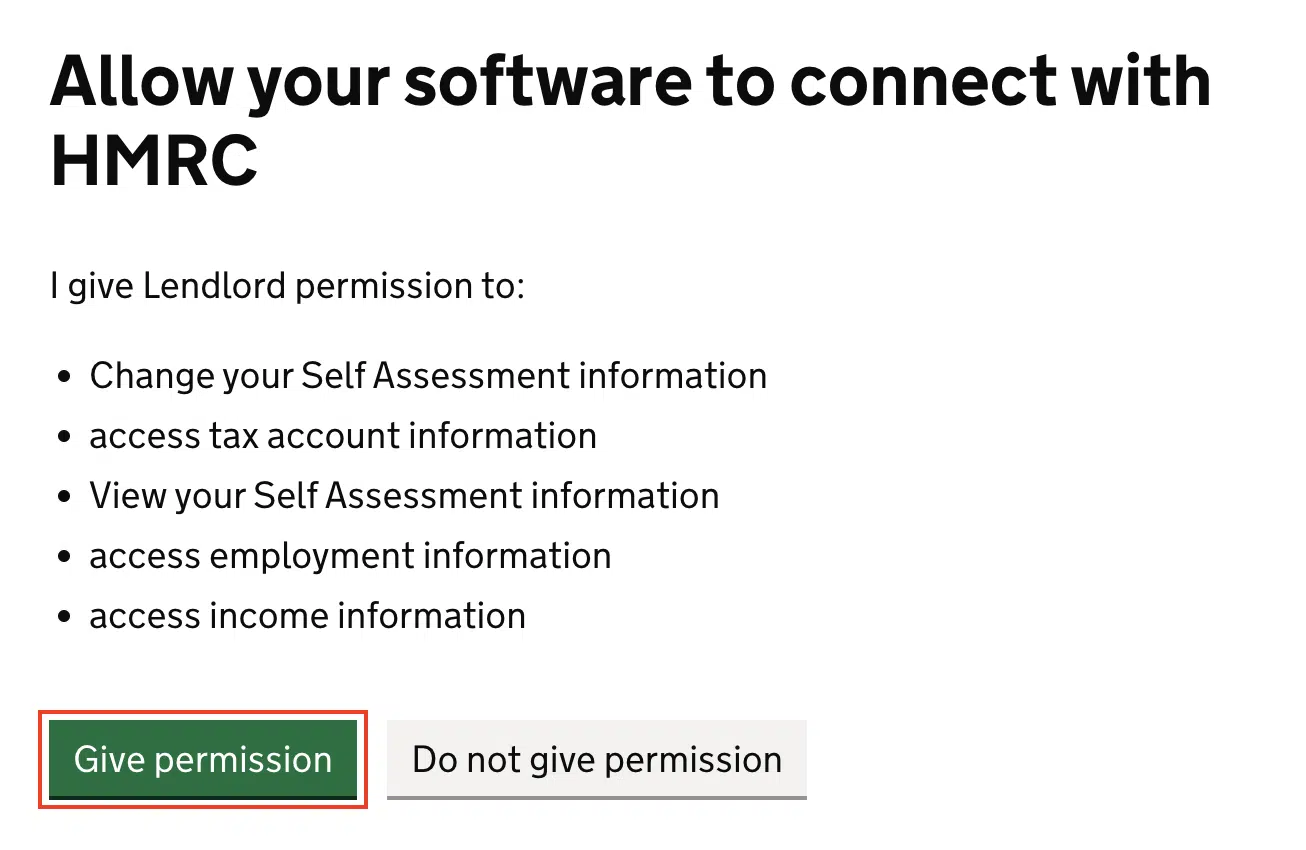
Step 9: Give permission for Lendlord to connect
Review the permissions list, then click Give permission so Lendlord can connect with HMRC for Self Assessment information needed for MTD.
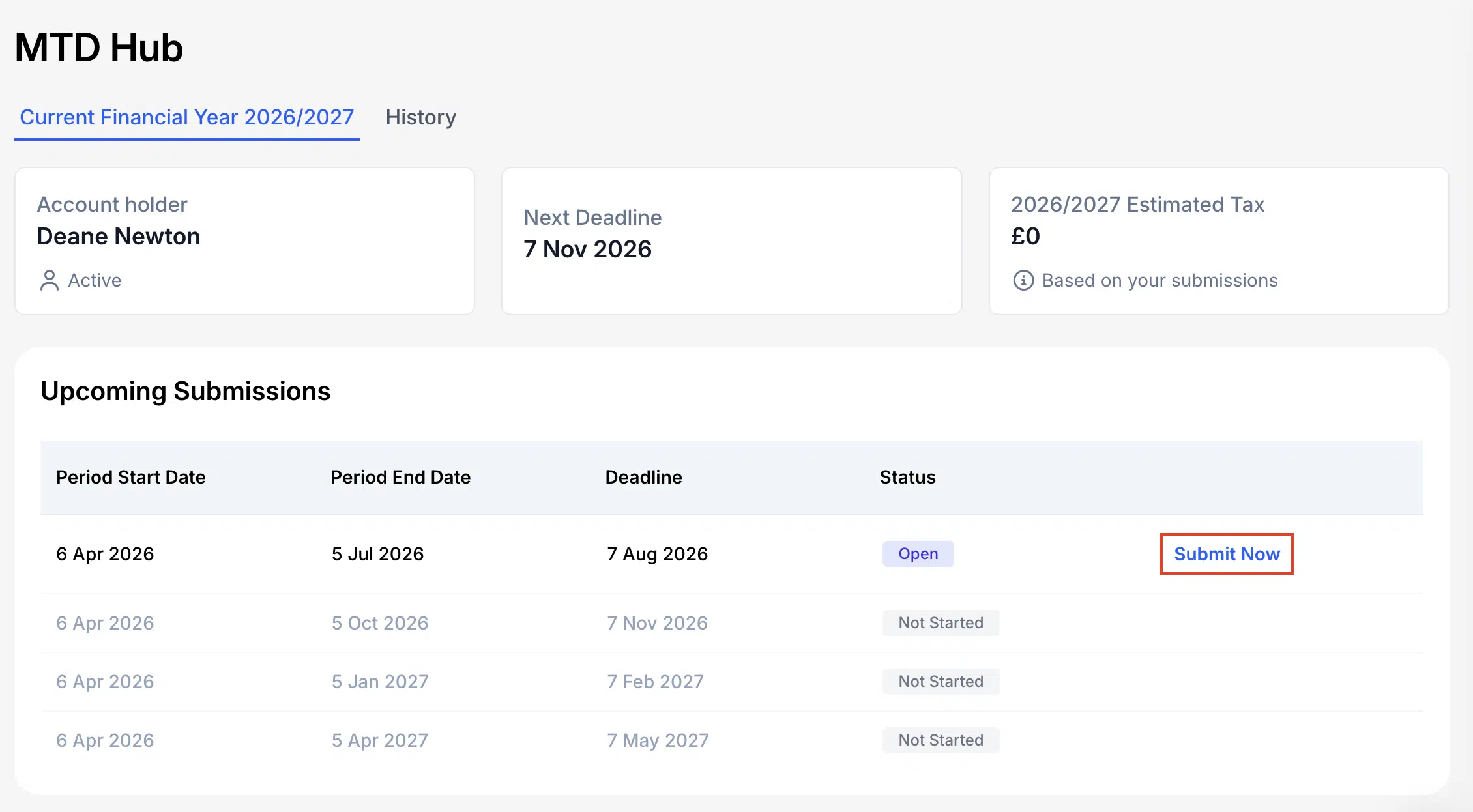
Step 10: Choose the period and click Submit Now
Back in the MTD Hub, open the period you need. For the first 2026/27 update, that is 6 Apr 2026 to 5 Jul 2026, deadline 7 Aug 2026. Click Submit Now.
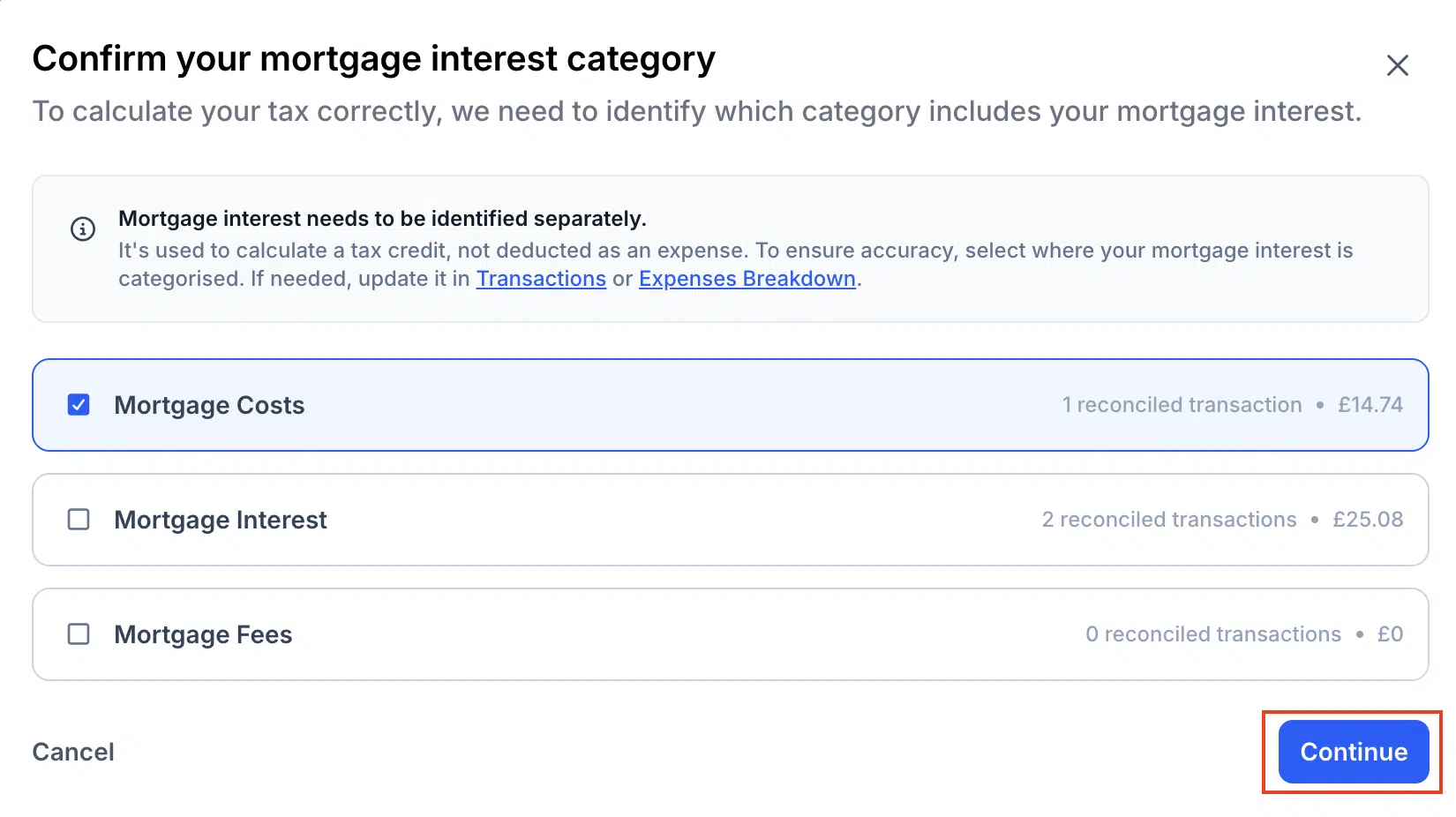
Step 11: Confirm your mortgage interest category
Select the expense category (or categories) that contain mortgage interest, then click Continue. Mortgage interest is identified separately for the tax credit calculation.
Step 12: Review totals and submit
Review the year-to-date breakdown. The submission is cumulative from the start of the tax year. If you see unallocated transactions, review them first. When the numbers look right, click Submit. If something is wrong, quit, fix the data, and return.
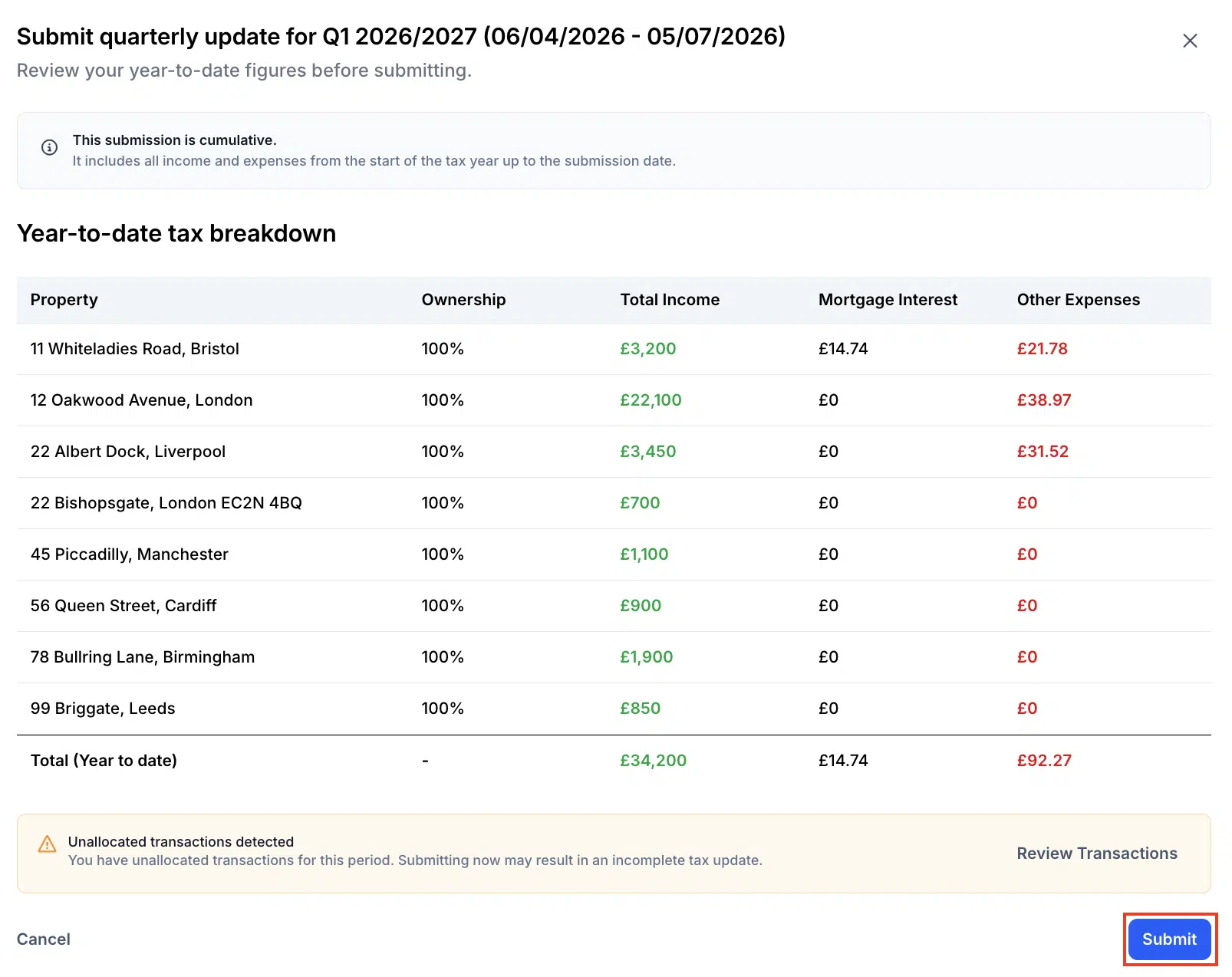
That completes the quarterly update in the MTD Hub. Keep your submission confirmation with the year-end pack, then diary the later 2026/27 deadlines.
Frequently asked questions
When is the next MTD deadline for UK landlords?
For landlords already mandated from 6 April 2026, the next quarterly deadline is 7 August 2026. It covers income and expenses from 6 April to 5 July.
What do I actually submit by 7 August 2026?
You send a quarterly update through MTD-compatible software such as the Lendlord MTD Hub. It summarises digital records for that quarter. It is not the same as the old annual Self Assessment return.
Can I submit for another team member from my Lendlord account?
You can submit for one team member per Lendlord account. If other people need to file, invite them and complete the process from their own account.
What if my numbers look wrong before Submit?
Quit the process, update the figures in Lendlord, then return to the MTD Hub and submit. Review mortgage interest categories and unallocated transactions first.
Related guides for UK landlords
Get Q1 records tidy, then submit the 7 August update from the MTD Hub.
Explore MTD Hub
Expert insight from Aviram Shahar, Co-Founder and CEO of Lendlord · PropTech entrepreneur · Last updated July 2026
Official data sources
Confirm live MTD deadlines, software rules, and the Lendlord MTD Hub submit steps before you file.