Is Your MTD Q2 Update Ready to Send by 7 November?
Published · Updated
6 min read

When is the MTD Q2 deadline?
Send your second Making Tax Digital update by 7 November 2026. Q2 runs from 6 July to 5 October, but the figures you send are cumulative: everything from 6 April to 5 October.
There are no penalty points for a late quarterly update in 2026/27. Sending it is still compulsory, and a late Q2 leaves less time to fix Q3.
| Update | Period | Cumulative totals to | Send by |
|---|---|---|---|
| Q1 | 6 April to 5 July | 5 July 2026 | 7 August 2026 |
| Q2 | 6 July to 5 October | 5 October 2026 | 7 November 2026 |
| Q3 | 6 October to 5 January | 5 January 2027 | 7 February 2027 |
| Q4 | 6 January to 5 April | 5 April 2027 | 7 May 2027 |
| Final Declaration | Whole tax year | 5 April 2027 | 31 January 2028 |
View this post on Instagram
You are in MTD from April 2026 if your qualifying self-employment and property income was over ֲ£50,000. Most landlords with property income of ֲ£150,000 or less use the cash basis by default, so money counts on the day it is received or spent.
Screenshots captured 5 October 2026 on Lendlord. Send dates and agent receipt rules checked against GOV.UK MTD guidance and HMRC PIM1094.
Lendlord is MTD-ready software approved by HMRC
Lendlord is HMRC-approved, MTD-ready software for UK landlords. The MTD Hub links to your HMRC account, sends each quarterly update, and keeps HMRC's confirmation next to the records behind it.
Rent, costs, and bank lines already sit in the same portfolio. You review the cumulative totals and send from there, with no spreadsheet bridge. More detail sits on the Making Tax Digital software for landlords page.
Send Q2 by 7 November
File from the software that holds your records
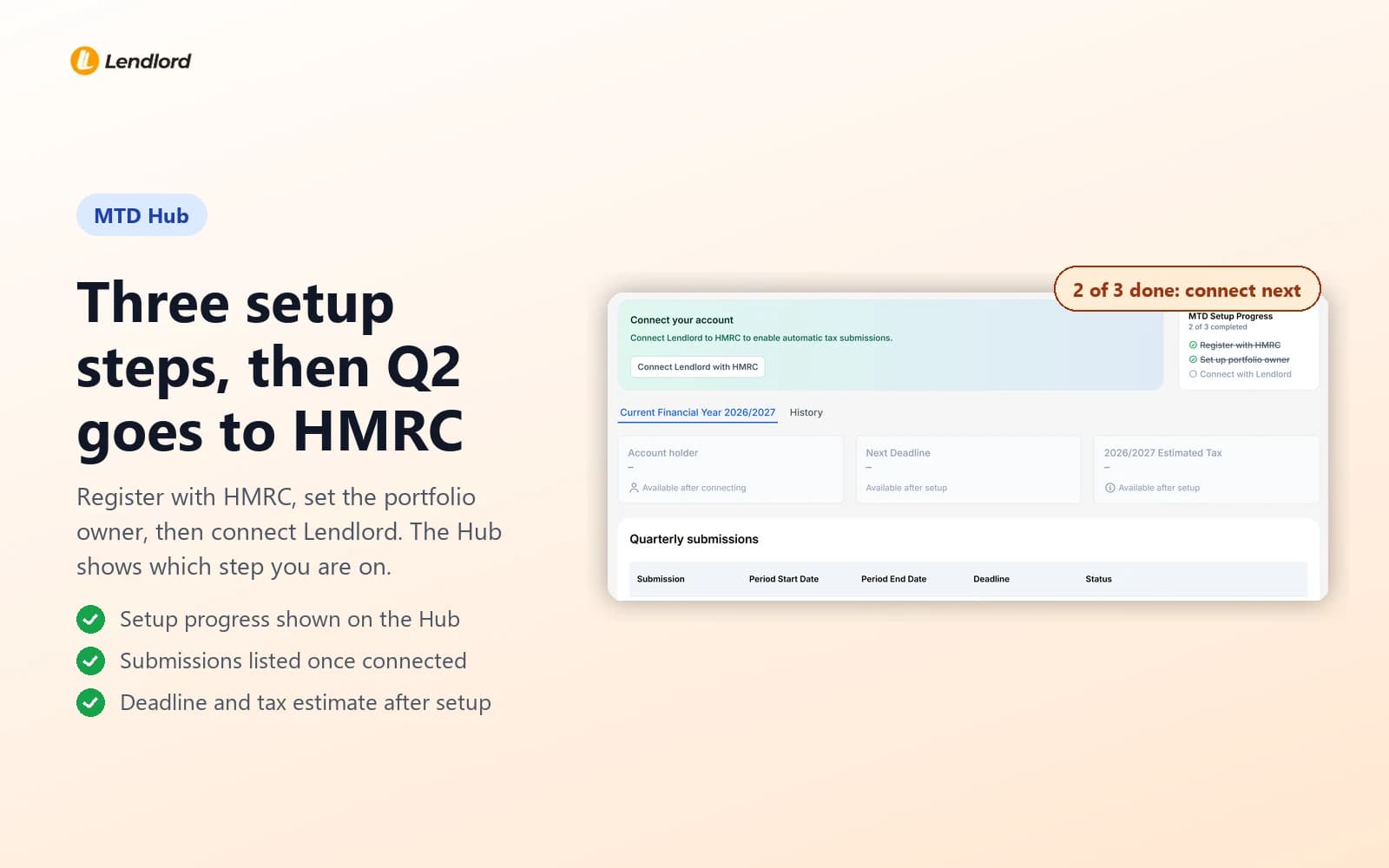
Register with HMRC, choose who submits, connect, then send cumulative Q2 from the Hub.
Open MTD HubWhich agent rent belongs in Q2
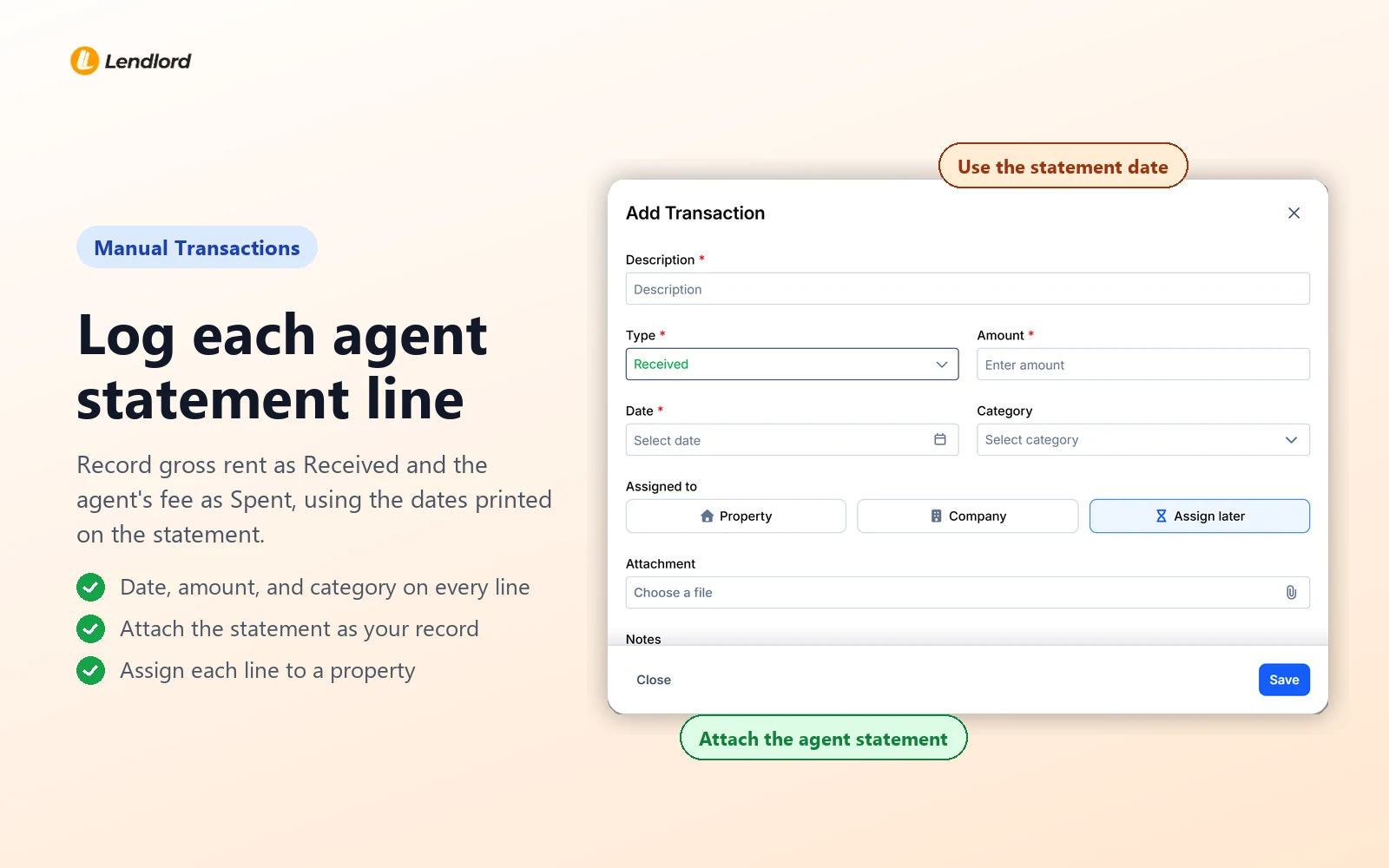
If a letting agent collects for you, Q2 income is rent your agent received by the cut-off. Under the cash basis, HMRC counts it on that date, not when the money reaches your bank. Use the dates on the agent's statement:
| Tenant pays agent | Agent pays you | Belongs in |
|---|---|---|
| 28 September | 3 October | Q2 |
| 2 October | 12 October | Q2 |
| 8 October | 20 October | Q3 |
On the traditional (accruals) basis, rent follows the period it relates to instead. Ask your accountant before you change basis mid-year.
Rent reaches the agent 2 October, your bank 12 October
Monthly rent is ֲ£1,500. The tenant pays the letting agent on 2 October. After a ֲ£150 fee, ֲ£1,350 lands in your account on 12 October.
Record ֲ£1,500 rent received on 2 October and a ֲ£150 agent fee, both in Q2. The ֲ£1,350 bank line is a transfer from your agent, not new Q3 income. Tag it that way or the rent is counted twice.
Illustrative figures. Cash basis assumed.
Rent collected vs money in your account
Rent collected is the gross figure tenants handed over. Money in your account is what is left after the agent takes fees and pays any bills. HMRC wants both sides shown: the gross rent as income and the deductions as costs.

Start with the statements that straddle quarter end. They cause most Q2 errors, because the rent and the payout sit in different quarters. Once each statement is in, reconcile the matching bank transfer against it rather than tagging it as rent. Your cumulative totals will then match what the agent reports.
Records first, then the quarterly update
Costs that belong in Q2
On the cash basis, a cost counts on the day the money leaves. If your agent deducts it from rent, the statement date is that day. Include costs settled since 6 April:
- Letting and management fees, including fees your agent deducts
- Repairs and maintenance that restore the property, not improve it
- Insurance, ground rent, service charges, and safety certificates
- Mortgage interest, recorded separately; relief is a 20% tax credit at year end
Capital spend, such as a refurbishment or the cost of buying a property, stays out of quarterly costs.

Send Q2 from Lendlord in five steps
The first three steps are one-off setup. If you sent Q1 from the Hub, skip to step four.
- Sign up for MTD with HMRC, then confirm it in the MTD Hub.
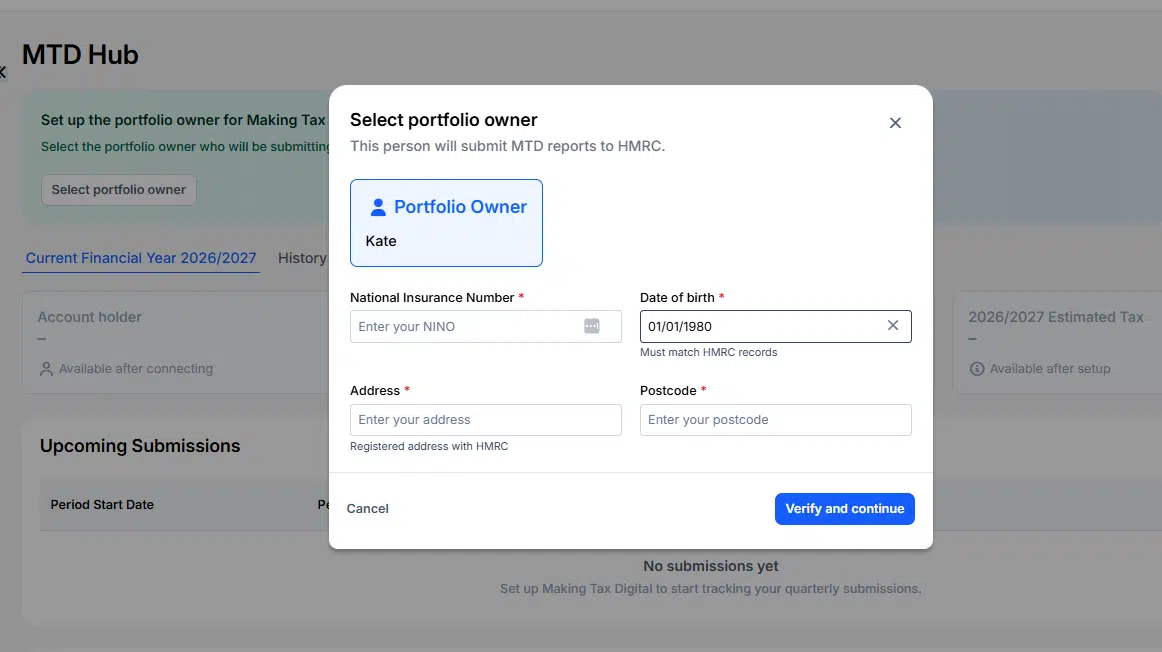
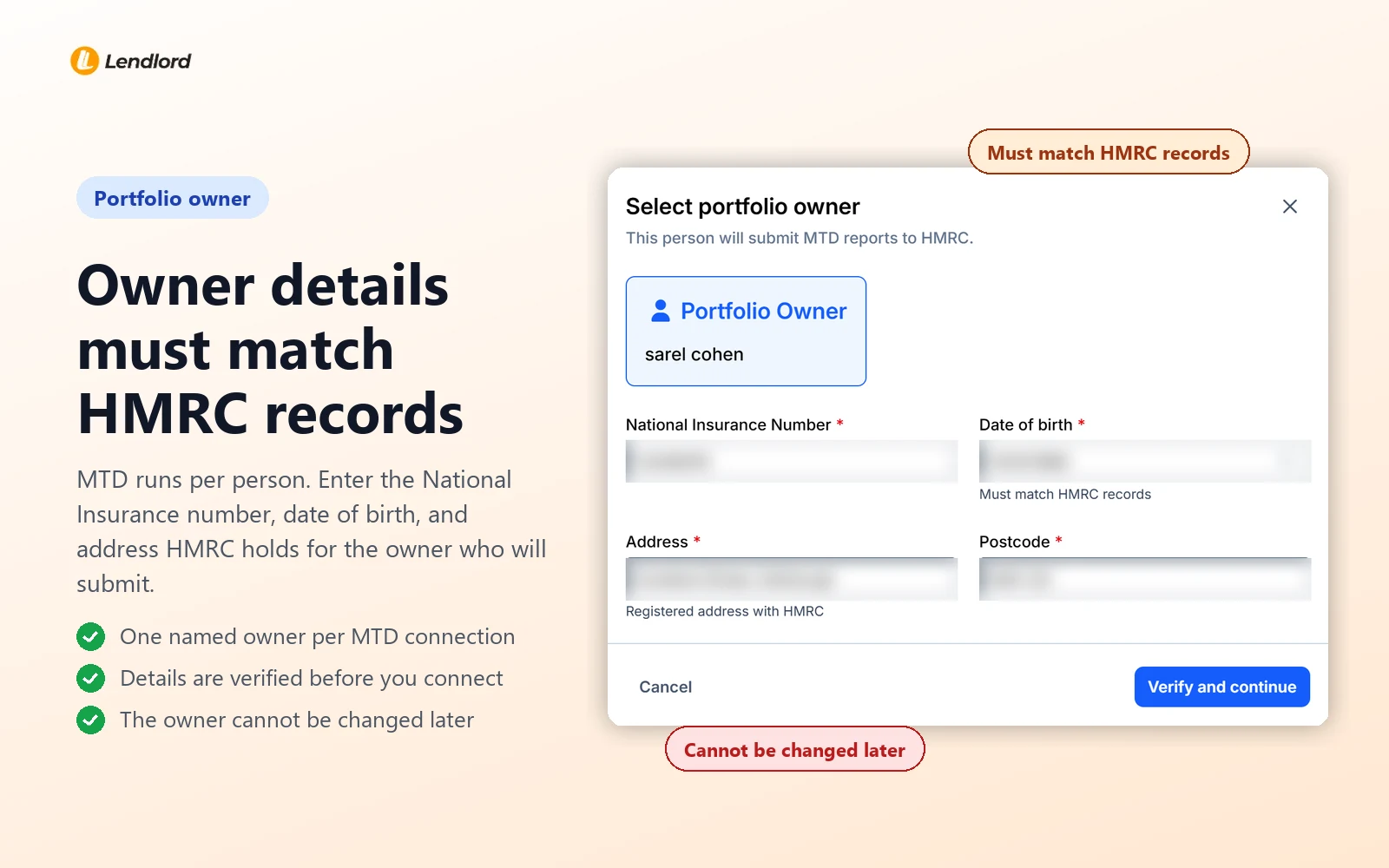
- Select the portfolio owner and enter the details HMRC holds for them.
- Connect Lendlord to that person's HMRC account.
- Review year-to-date income and costs in the Hub.
- Submit, then check HMRC's confirmation in Submission History.
Step two is the one you cannot undo. MTD runs per person, so pick the owner HMRC taxes on this rent. Their National Insurance number, date of birth, and address are checked against HMRC records before you can connect. Joint owners each file for their own share.
Do the setup this month, not on 6 November. A forgotten HMRC login or an old address on your tax record can take days to sort out, and the deadline does not move while you wait. For every screen in order, use the slide-by-slide MTD Hub submission guide.
Q2 is a records test, not a form. Get the agent statements in, put rent and costs on their real dates, and the update almost writes itself.John Noble, Qualified Accountant and Property Tax Strategist
Spotted a mistake after sending?
You do not resend Q2. Correct the record, and the next cumulative update carries the fix: Q3, due 7 February 2027. After Q4, you resend that update before the Final Declaration.
Still tidying Q1? The post-Q1 repair checklist covers common errors. Scope questions from the first deadline are in the August filing guide.
Record agent statements, check cumulative Q2, and send it to HMRC before 7 November.
Start free in MTD Hub
Expert insight from John Noble, Qualified Accountant and Property Tax Strategist ֲ· Guest contributor ֲ· Founder, Noble One Accountants ֲ· Last updated October 2026
With managed lets, John sees one miss more than any other: the net transfer posted as rent on the day it lands. Ask for every Q2 statement now, record gross rent and fees on their dates, and send well before 7 November.